How can a solo interior designer manage a bigger project without losing control?
Practical ways to keep a larger interior design project under control on your own: faster product capture, one current specification, stakeholder views and change handling.

Table of contents
Share
So how can you punch above your weight class as a solo designer? Well, there are a few things you have to get right: product capture is fast, the specification stays current, each stakeholder sees the view that concerns them and changes stay attached to the work they affect. Scale alone is not what breaks a small studio, but usually what gets is the amount of copying, chasing and re-checking needed before anyone can decide anything.
Why does the work grow faster than the project?
Doubling the number of rooms does not double your workload. It multiplies it, because every product now involves more people. A 40-line specification for a two-bedroom flat is a document you can keep a mental duplicate of in your head. A 180-line specification across six rooms, three suppliers with long lead times and a contractor who starts on site in five weeks is... not.
Product entry is where the hours disappear
Sourcing is almost the definition of design work - entering what you sourced is not. Name, supplier, reference, finish, dimensions, price, lead time, image, link. Multiply that by every candidate you considered rather than every product you specified, because you rarely present one option per position.
Product capture is a major source of repeated work on a big specification. It is also what gets rushed at 11pm, which is how a wrong finish code ends up in a purchase order.
Everyone wants a different slice of the same list
The client wants to see the lounge chair in context with a price they understand. The contractor wants dimensions, fixing details and delivery dates. The joiner wants three lines out of 180. The upholsterer wants fabric quantities. Nobody wants your supplier discount or your margin.
On a small job you handle this by hand. You copy rows into a new tab, delete the columns that should not travel, save it as a PDF and send it. On a large job you do that repeatedly, for different people, at different moments, from a list that keeps moving.
OK, and where does manual work start to break?
It breaks at the point where the specification exists in more than one place. A spreadsheet is fine at holding information. It is bad at telling you which copy is current after four weeks of decisions taken across email, WhatsApp and a site visit.
Version drift
You send the client a PDF on Tuesday. On Thursday the sofa fabric is discontinued, so you swap it. On Friday the contractor sends a question quoting line 62 from a file you exported two weeks ago. Now you are reconciling versions instead of designing. The person who is most confident about the wrong detail is usually the one who is about to order it.
Structuring the document well delays this problem without solving it. Still worth doing before the project grows: here is a practical approach to structuring an interior design spec sheet.
The cost of a wrong detail
A wrong detail on a small project is an email you'd rather not send On a bigger one it is a bespoke joinery unit built to a superseded dimension, a fabric ordered in the wrong colourway with an eight-week lead time or a delivery that arrives while the floor is still being laid. Solo studios usually absorb that cost themselves. Do it more than once and you're likely to have reached your limit.
What does control actually look like?
Control is not a feeling of being organised. It is a set of questions you can answer quickly. Use these as a test on your current setup, whatever you use:
Can you say what the current fabric on the lounge chair is in under a minute, without opening three files?
Can you check a supplier order against exactly what the client approved?
Does every approval have a name attached to it?
Can you send the contractor what they need without exposing supplier pricing?
When a product changes, is there one place you change it?
Can you tell which decisions are still open?
If most answers are yes, your process will probably survive a larger project. If most are no, the project will find that out for you.
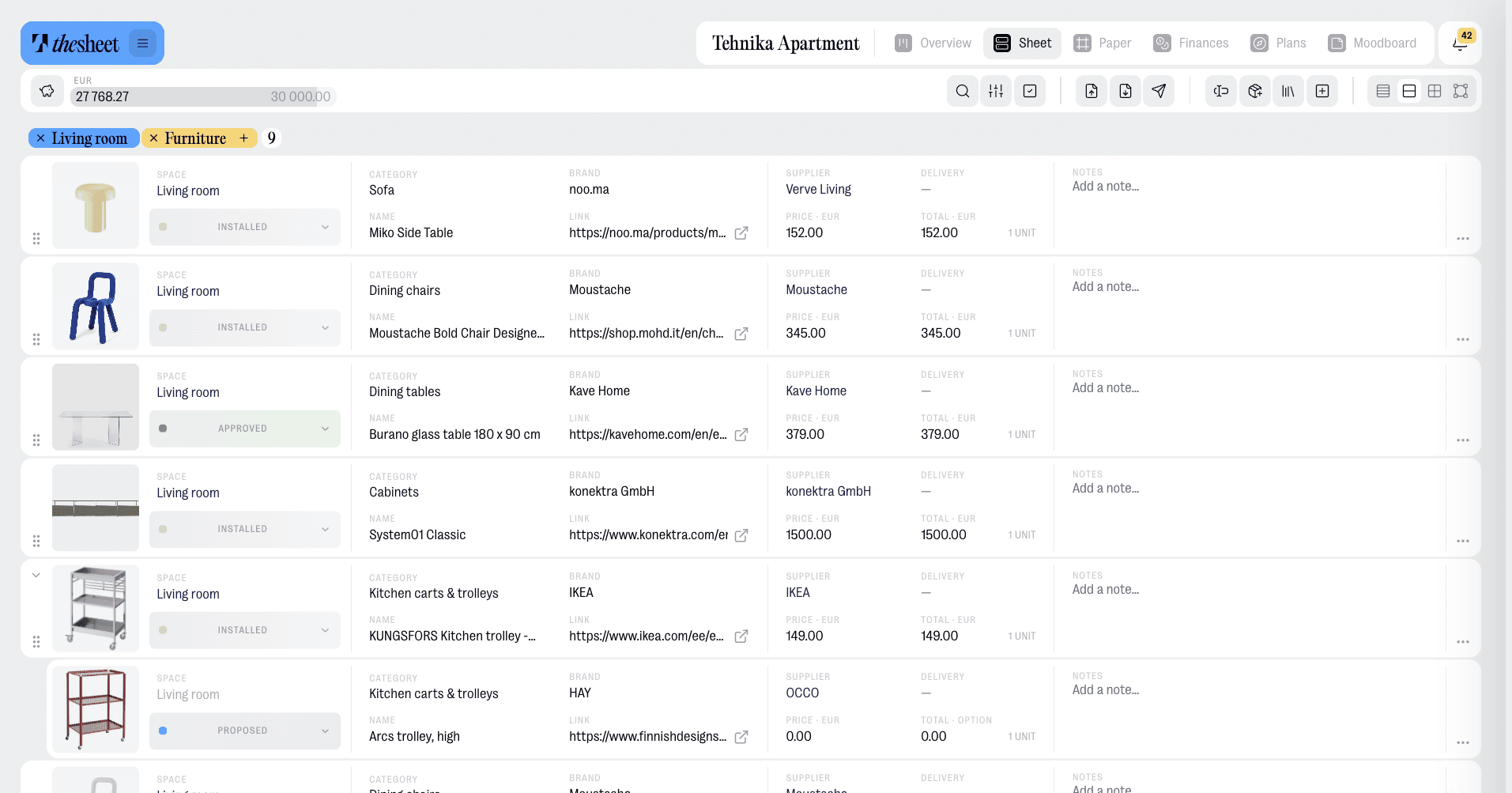
How does faster product capture reduce the load?
Two things cut the repeated work. The first is not typing product information by hand. thesheet's AI Product Clipper can fetch product images and information from a supplier page within seconds, which gives you a starting point to check rather than an empty row to fill. You still confirm the finish, the price you are using and the lead time. You are editing instead of transcribing.
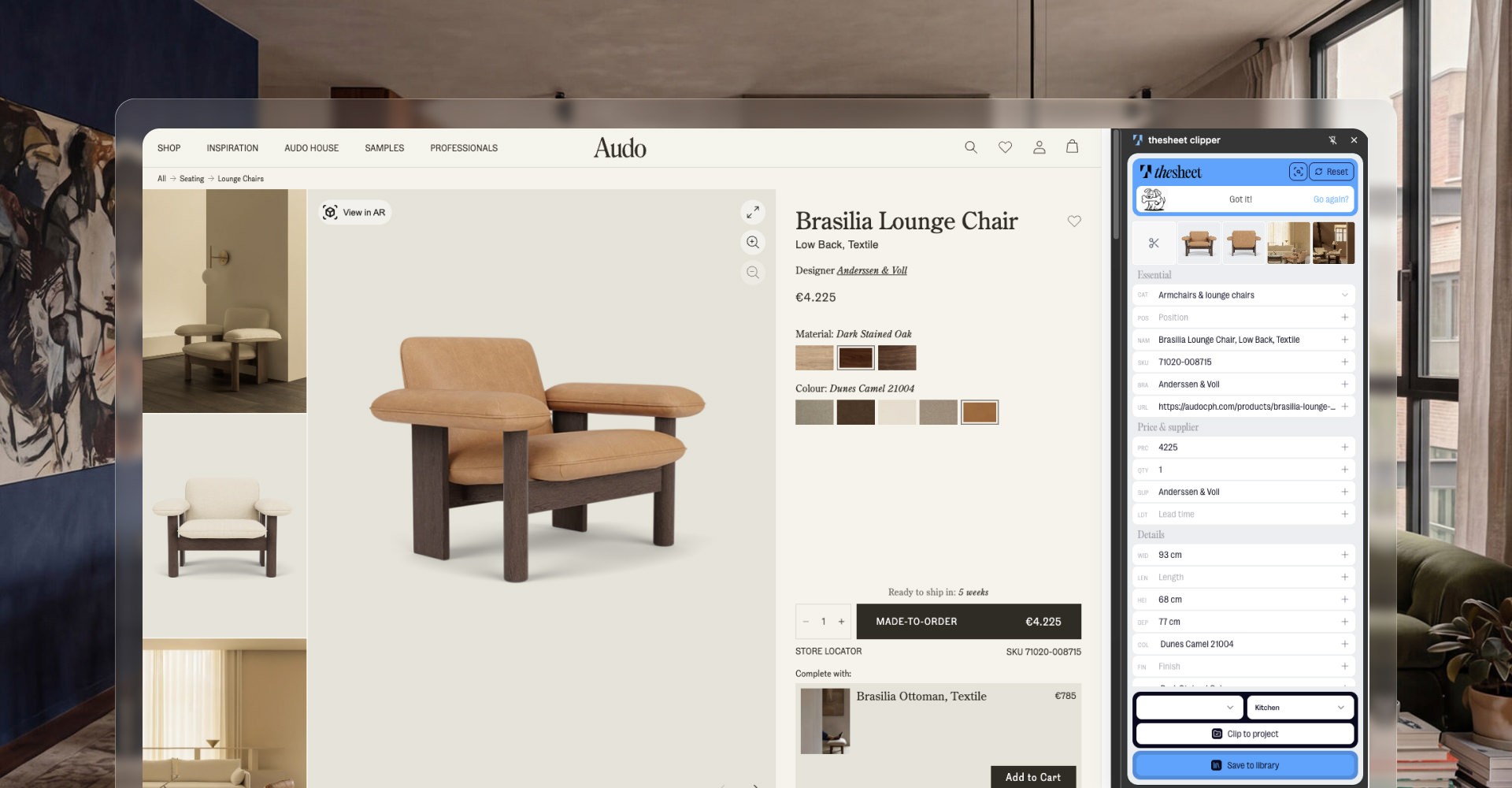
The second is not sourcing the same thing twice. Products you choose to save to your Product Library stay available for reuse, so the pendant you specified in March is already there in September with its reference, dimensions and supplier details intact. On a large project with repeated positions across bedrooms or units, that is the difference between one entry and fourteen.
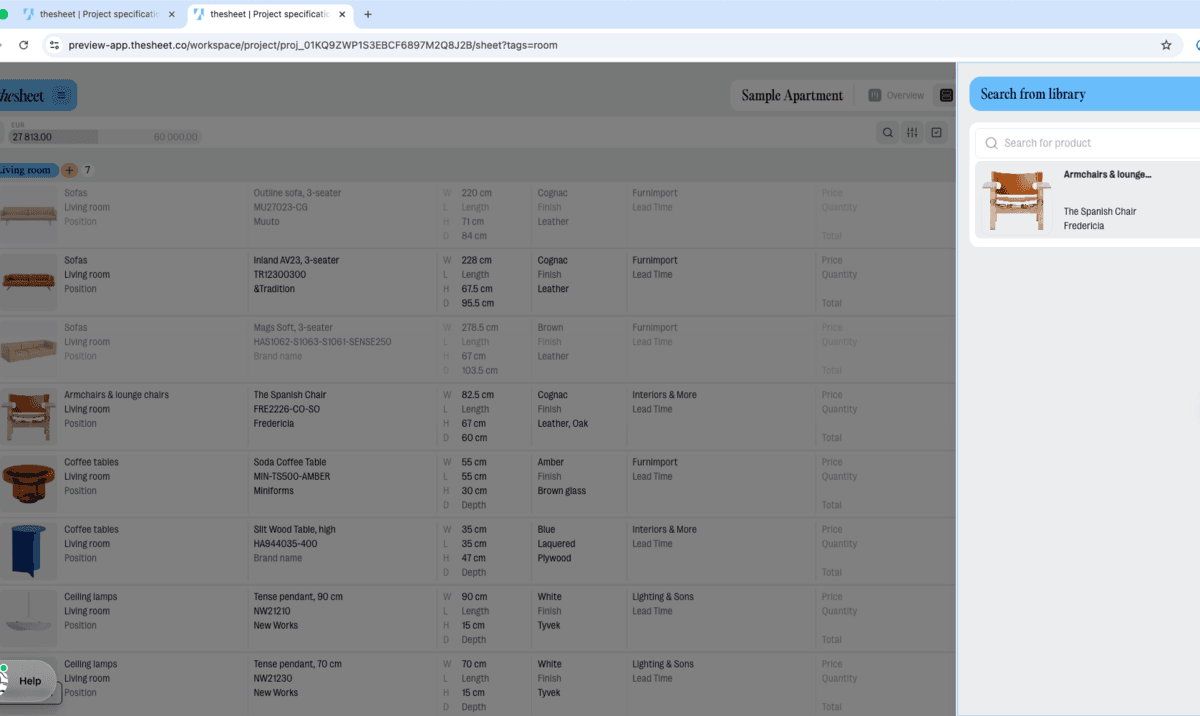
More detail on both here: capturing and reusing products with Product Clipper and Product Library.
How do you give each stakeholder the right view without creating more files?
By keeping one structured specification and generating views from it. In thesheet, Personal Links let named people open a tailored view of that specification, so the client, the contractor and the joiner each get what concerns them from the same underlying product data. That avoids maintaining separate stakeholder files, which is where most version-drift risk comes from.
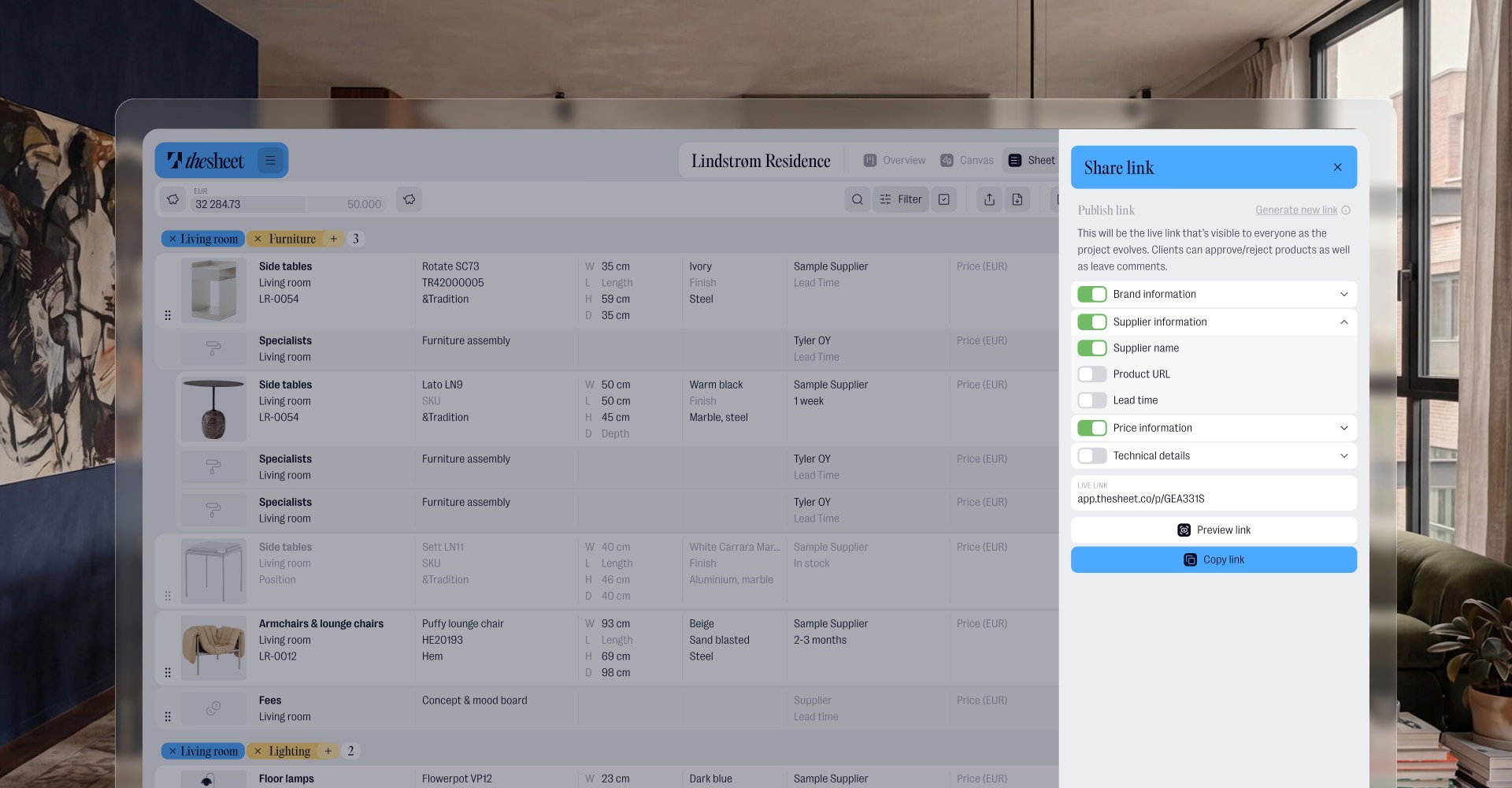
"The first client started approving and rejecting products in the client view and leaving comments right away. I felt that made the process a lot easier in choosing alternatives." Ljudmila Funika-Müür, Stuudio88
If you are still sending PDFs and want to compare approaches, we wrote about sharing spec sheets with clients.
How do you handle changes without rebuilding the specification?
Changes are the real test of a solo workflow, because each one is small and there are hundreds of them. In thesheet, approvals, rejections and comments stay attached to the product they concern, with the name of the person who left them. Notifications tell you when someone comments or changes a status, so you are not refreshing a document to find out whether anything happened.
The useful function is that client views, approval decisions and questions from site all refer back to the same current product data. When you swap the fabric, you are not also updating a contractor file, a client PDF and a message thread.
"With thesheet, I don't have to search through old messages or emails. All decisions, feedback and approvals are in one place. It keeps everything on track." Lukas Senkus, Senkus Design
The short version
A bigger project stays manageable for one designer when product capture is quick, the specification is current, each stakeholder reads a view built from that specification and every change stays attached to the product it affects. Fix product entry first, because it is the largest block of repeated work you can remove. Then stop maintaining separate files per stakeholder.
Start your next project specification in one place: try thesheet for free.