Capture products faster with Product Clipper and Donut
Product Clipper and Donut take the manual work out of capturing products, so you can build projects faster and keep your Product Library organised without the copy-paste.
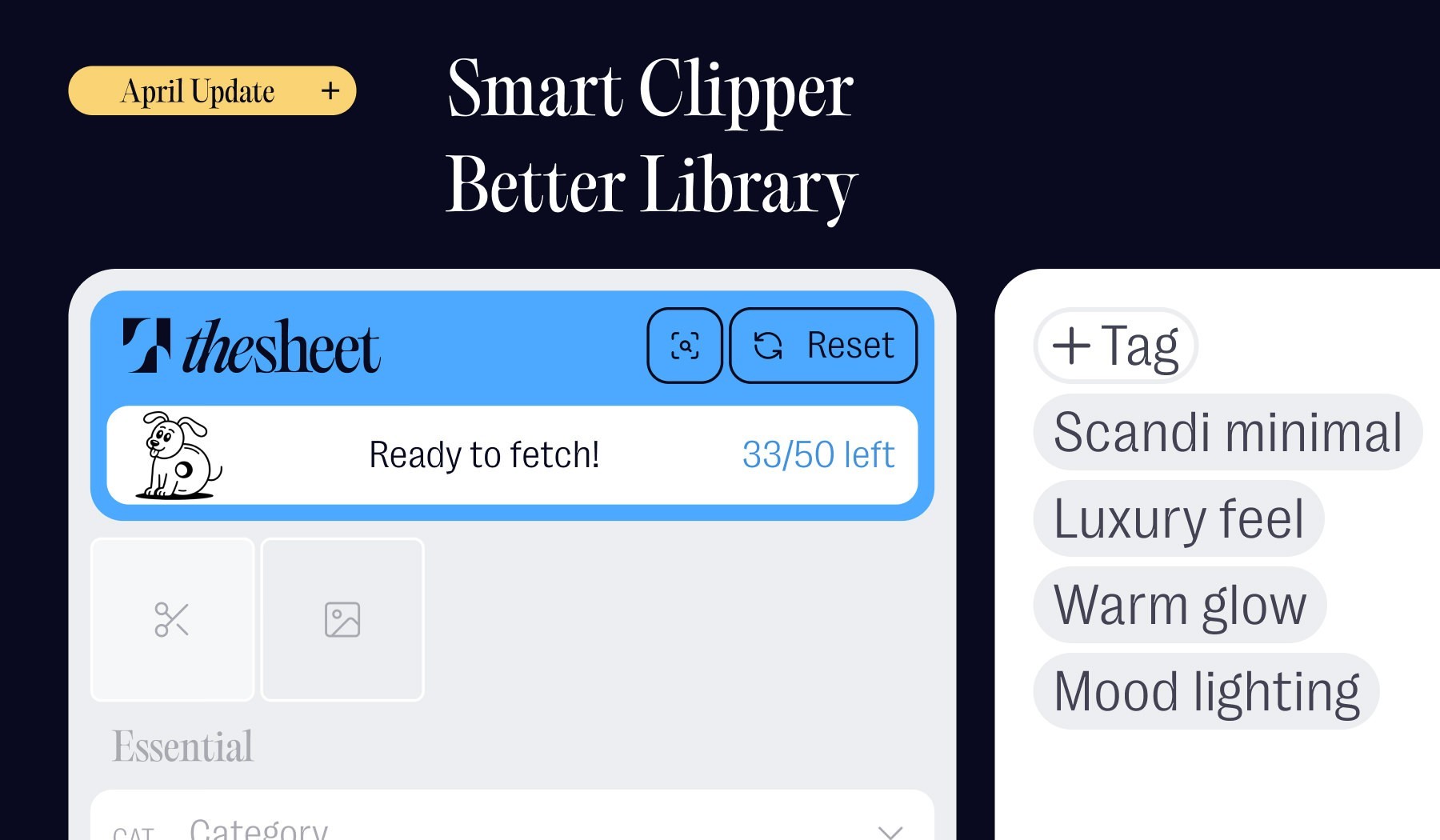
Table of contents
Share
Most of a designer's product research lives in scattered places: supplier sites, PDFs, bookmarks and saved links. Getting all of that into a usable spec sheet normally means copying specs by hand, downloading images and working around awkward supplier pages. Product Clipper and Donut close that gap. Open a supplier page, let Donut fetch the details and save the product straight into a project or your Product Library. Product Clipper runs in Google Chrome.

Less data entry, more design time
The original Clipper already saved time by replacing manual copy-paste with click-to-capture: product name, description, images and other useful details straight into thesheet. Donut takes it further and fetches those details for you, so capturing a product is closer to a single action than a form to fill in.

Meet Donut: AI fetching in seconds
Donut is thesheet's AI helper, built into Product Clipper. Open a product page, choose Ready to fetch and Donut pulls the details from the page in seconds: the product name, images, supplier information and the other fields it can find. Review what Donut brings in, fix anything that needs correcting and save it straight to a project or your Product Library. Supplier sites are all built differently, so if something is missing or looks off you can edit it before saving.
Snip-to-Clip for images you can't grab
Some supplier sites won't let you drag or copy their images. For those pages, use Snip-to-Clip: select the scissors icon, draw a box around the image you want and add it to the product before saving. It's the easy way to capture images from pages that otherwise lock them down.
Library improvements for everyday speed
Saving products is only half the job. A library is only useful if you can actually find things in it later — and get them into a project without having to hunt through everything you’ve ever saved.
The Product Library is now a proper replacement for all the scattered places your product research currently lives. Bookmarks, Pinterest boards, saved links in a Word doc — you can bring all of it into one organised, searchable place and actually find it again when you need it.
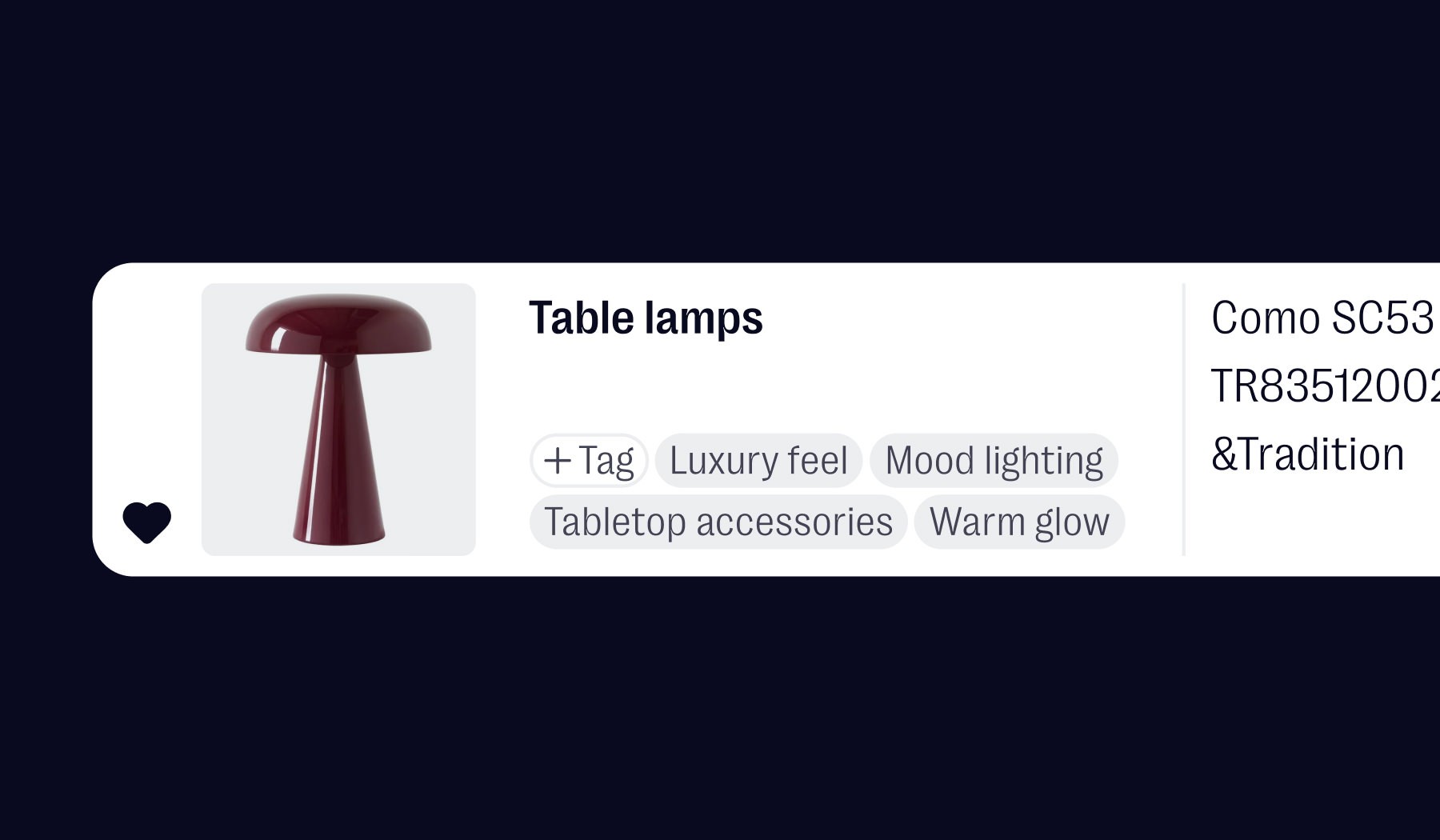
Tags: organise the way your brain works
Tags work like folders, but without the rigidity. Create whatever tags make sense to you — by mood, material, supplier, style or project type — and apply them as you clip or import. Found a beautiful piece but no project for it right now? Tag it and come back to it later without scrolling through everything else.
The real power comes when you combine tags with filters and search. Even if you don’t remember exactly what you saved or when, you can narrow things down fast and find what you need in seconds.
Favorites: your most-used pieces, always on top
Some products you reach for in almost every project. Mark those as favorites and they’ll always sit at the top of your library, ready to go. No more scrolling through hundreds of items to find that one reliable task chair you spec into everything.
Bringing your research into thesheet
You don't have to capture everything one page at a time. If you already have a product link, paste it straight into your sheet and Donut will fetch the product and add it for you. It's the same fetching that powers Product Clipper, without leaving thesheet.
Try it on your next product
Product Clipper and Donut are there whenever you're capturing products for a project. Open a supplier page, let Donut fetch the details and see how much faster a spec sheet comes together.
Solo accounts include 5 Donut fetches a day. Studio and Agency accounts get unlimited fetches, along with team collaboration, client sharing and studio branding for client-facing work.