The best DesignFiles alternative for solo and small-studio interior designers
DesignFiles runs your whole design practice in one platform. If your day is really sourcing products, building specs and getting client decisions, thesheet is the focused, lower-commitment alternative. Here is how they compare and how to choose.

Table of contents
Share
Choosing between DesignFiles and thesheet
DesignFiles and thesheet both handle the core of interior-design selection work: capture products from supplier sites, keep them in a reusable library, build a structured specification and share it with a client for approval. DesignFiles is however more complex, as it also involves moodboards, floor plans, rendering, contracts, invoicing and procurement. thesheet is the better choice when the job in front of you is source, spec, share and sign-off and you want to start on real work without adopting a full studio-operations system.
Why a small studio starts looking for a lighter tool
You are usually reading a page like this because a spreadsheet stopped holding the project together. The selections live in one file, the client got a PDF that is already a version behind, the supplier links sit in an inbox and every change means updating all three by hand. The question a designer should ask is about scale: does a solo designer or a two-person studio need all of it yet?
DesignFiles is built to run a whole practice: presentations and moodboards, floor plans and rendering, contracts, invoices and retainers, purchase orders, financial reporting and a QuickBooks sync. If your week is mostly finding products, getting them into a clean spec, putting that spec in front of a client and collecting decisions, a platform built to also handle your accounting gives you a lot you will pay for per user and never use. What you are really weighing is a focused specification-and-approval tool against a full design-business platform, for what is a sourcing and client-decision problem.
Where the two overlap and where they part
Both tools clip products from vendor sites into a reusable library. Both build detailed spec sheets with images, supplier details, dimensions, quantities and notes. Both give the client a branded, no-login way to review items and approve or reject them.
DesignFiles wraps that selection work inside project management, procurement, invoicing and financial operations, so one platform carries the whole job from concept to getting paid. thesheet keeps to the selection loop and does that part well: capture, structure, share, decide. Everything else, like invoicing, you keep wherever you keep it now.
Decision | DesignFiles | thesheet |
|---|---|---|
Central job | Run the whole practice in one platform: visual design, specs, operations and finance | The focused loop: source products, build specs, share cleanly, collect client decisions |
Product capture and library | Product Clipper Chrome extension saves products into a reusable Product Library | AI-based Chrome Product Clipper, paste a supplier URL or Snip-to-Clip from a screenshot, all into a reusable Product Library |
Structured specifications | Detailed spec sheets on the Full Service plan | Structured spec sheets with images, supplier details, dimensions, notes, quantities and status, grouped by space, category or stage |
Client review and approvals | Branded Client Portal, no client login, per-product approve or reject and field-visibility controls | Mobile-friendly client link, no client login, approve, reject or comment per item, with field-level controls |
Visual design and presentation | Moodboards, floor plans, 3D rendering and branded presentations built in | Not built in; thesheet is a specification and approval tool, not a rendering or moodboard tool |
Project operations | Notes, tasks, activity logs, project calendar and time tracking | Project overview and statuses, without a full task and timeline suite |
Procurement and finance | Quotes, invoices and retainers, purchase orders, RFQs, product tracking, financial reporting and QuickBooks integration | Project finances, service items and margin tables on Studio; no invoicing, purchase orders or accounting sync |
Team price basis | Full Service $75/month base account, +$30/month per additional user | Studio €35/month including two seats, +€19/month per additional seat |
Starting commitment | Free account to try, then a paid plan; a 90-day money-back guarantee applies after you upgrade | Solo is free forever with one active project and no countdown |
Best fit | Studios that want design, operations and finance in one system and will use most of it | Small studios whose main job is sourcing, specs, sharing and sign-off |
Where DesignFiles is the stronger choice
If you want one place to run the whole practice, DesignFiles is built for exactly that. Its Full Service plan puts quotes, invoices and retainers, purchase orders, RFQs and financial reporting in the same project as your specifications, so billing does not mean rebuilding the job somewhere else, and time tracking can feed the numbers you invoice. It syncs to QuickBooks. On the design side you get moodboards, floor plans, 3D rendering and branded client presentations and the Client Portal can carry all of it under one link with per-product approvals.
A system that broad takes some setting up, which is the trade for running a whole studio in one place. If your studio wants that single system and will use the procurement and finance side, DesignFiles is the right call and this is where you should stop reading.
Why thesheet is the better DesignFiles alternative for solo and small studios
If your central job is the sourcing-to-approval loop, thesheet is built around that one job and nothing else. Here is how it runs.
Capture products while you are sourcing
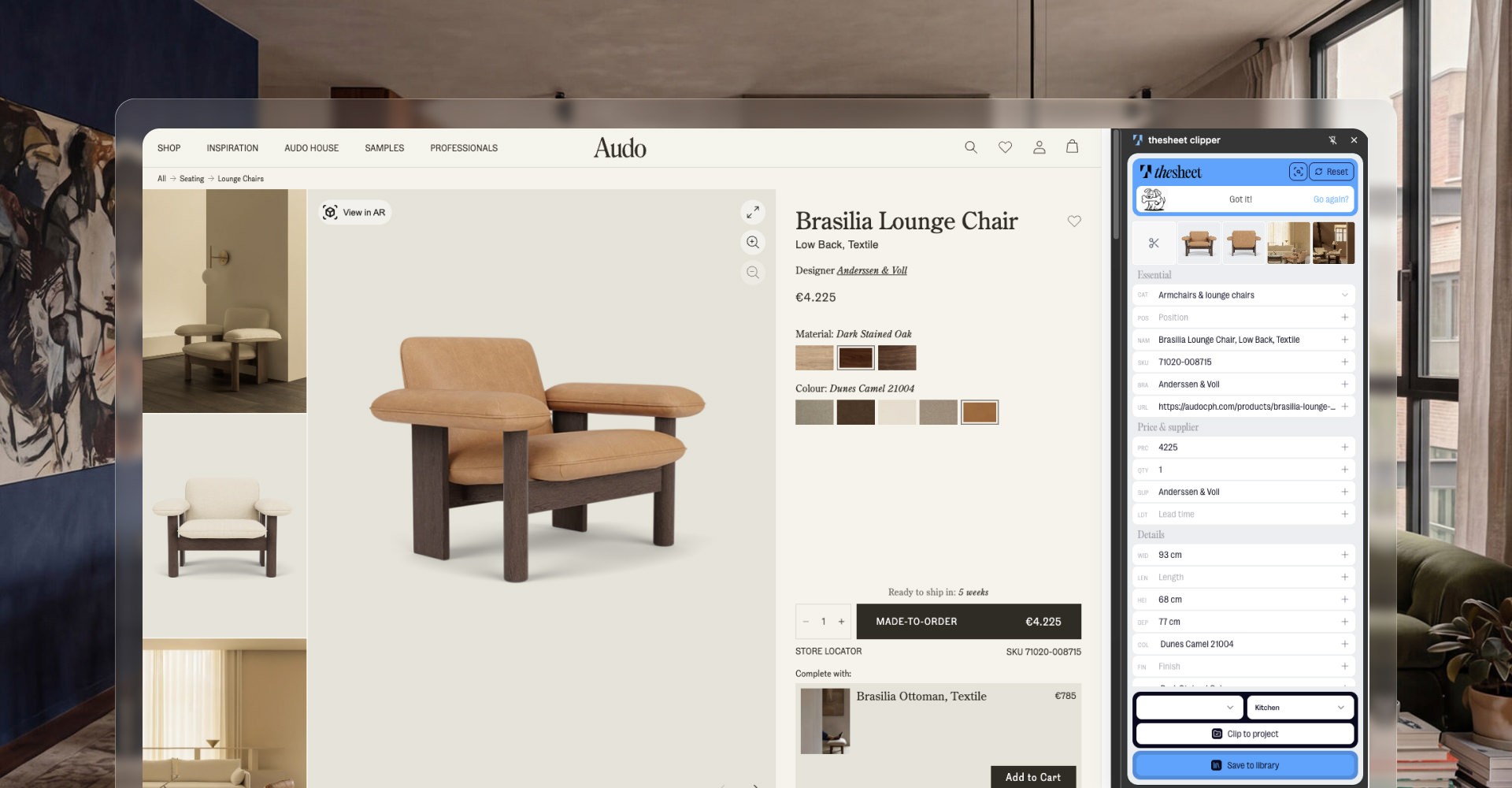
You are on a supplier page with the chair you want. The Chrome Product Clipper sends the name, image, price and details straight into your project. If you would rather not install anything, paste the supplier link into the project and let Donut, thesheet's AI helper, fetch the details for you. When a page will not cooperate, Snip-to-Clip grabs a product straight from a screenshot. Whatever you capture lands in your Product Library, so the next project starts from your own shelf instead of a blank sheet. Already have a selection list in Excel? Import the XLSX into a project rather than retyping it.
Build a spec a client can actually read
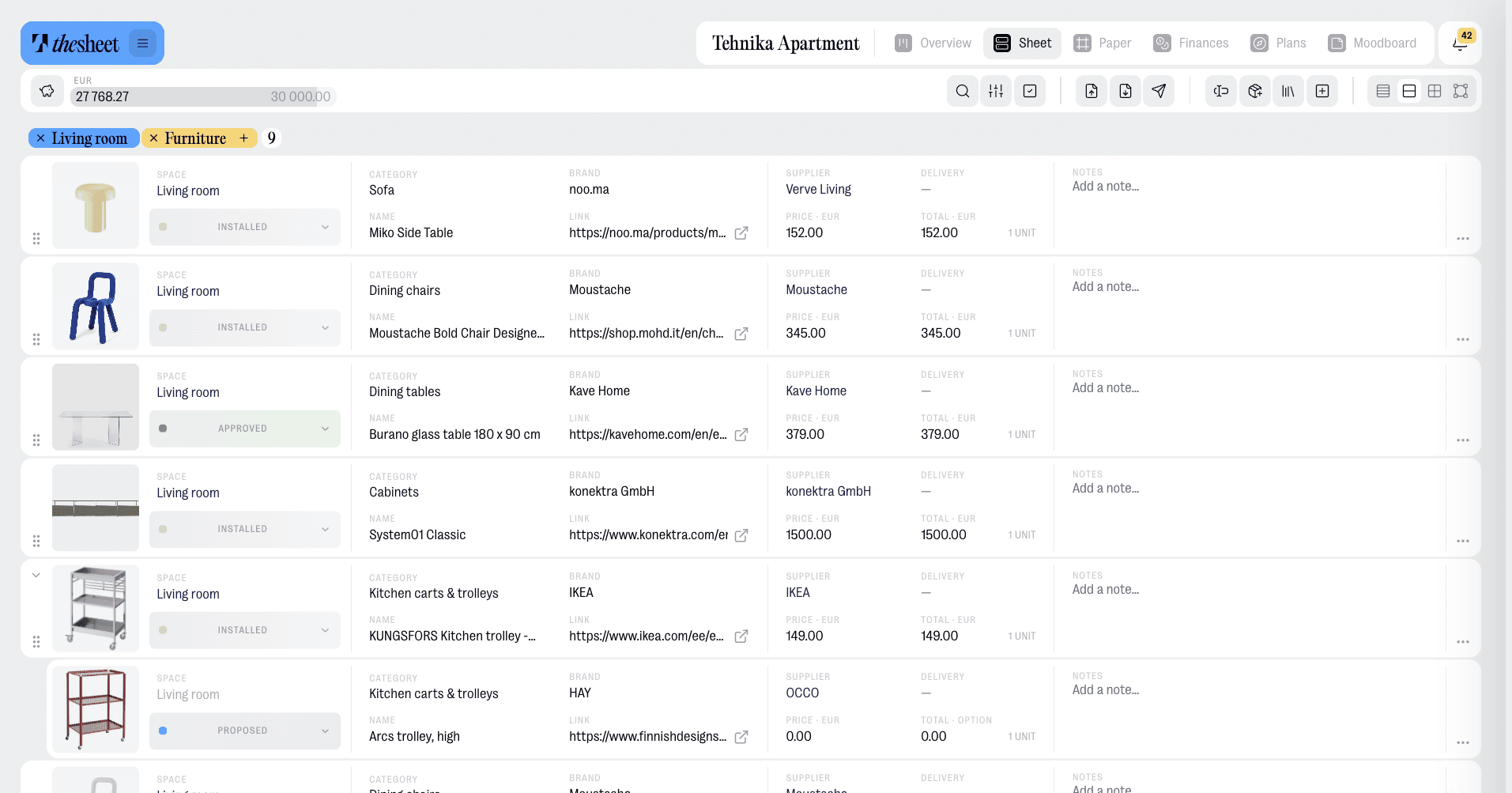
The products go into a structured spec sheet: images, supplier details, dimensions, notes, quantities and status, grouped by room, category or project stage. You can sit an alternative underneath a main choice, and only the main product counts toward the budget, which is how sourcing really works when a client is still deciding between two pendants. It reads cleaner than a spreadsheet and travels better than a PDF that goes stale the moment you change a price.
Put it in front of the client without the version circus
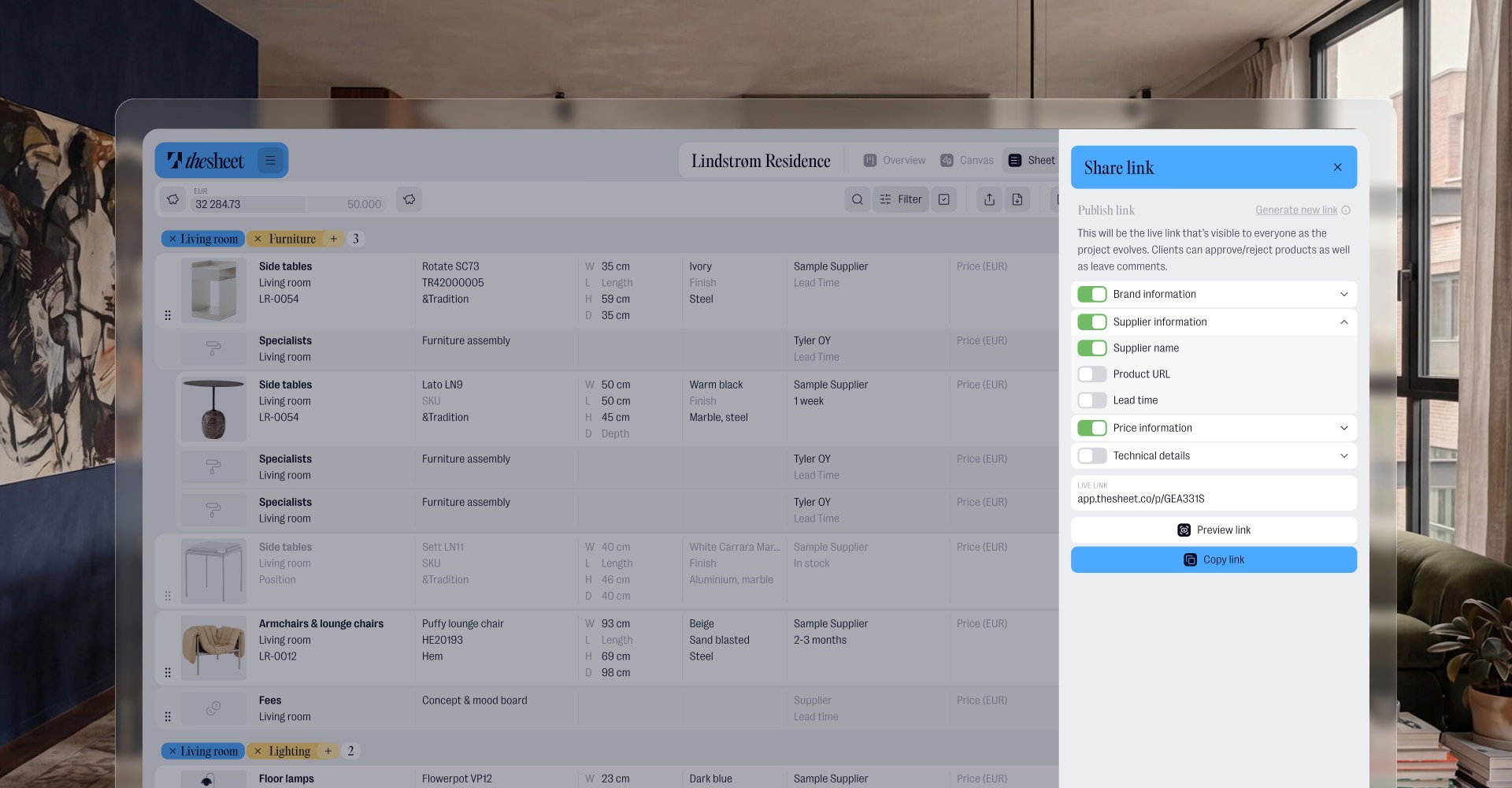
You share a client link. The client opens a mobile-friendly view in the browser with no account and no app, and no forty-column spreadsheet to pinch across on a phone. They approve items, reject them or leave a comment right next to the product, so a decision sits with the thing being decided instead of buried in a mail thread. On Studio you choose which fields each link shows, so a client, a contractor and a supplier can each get their own version, and studio branding puts your logo, colours and font on the shared page, the PDF and the link preview.
That is the whole loop: source, spec, share, decide. No invoicing engine to configure and no project timeline to maintain, because thesheet is not trying to be those things.
What each plan actually costs, compared fairly
A like-for-like comparison has to use Full Service, the DesignFiles plan that includes formal spec sheets, because detailed spec sheets are not on the cheaper e-Design tier.
Plan | Monthly price as displayed | Seats |
|---|---|---|
DesignFiles Full Service | $75/month base account | +$30/month per additional user |
thesheet Studio | €35/month | Two seats included, +€19/month per additional seat |
thesheet Solo | Free forever | One active project, no time limit |
What matters for a small studio is the starting commitment. thesheet Solo lets you build a real specification and share it with a real client for free, with one active project and no countdown, so you can judge the workflow on your own work before you pay for anything. DesignFiles offers a free account to try and a 90-day money-back guarantee once you upgrade, which is reassurance after you have committed rather than a free plan you can run indefinitely. When you do need more from thesheet, Studio adds unlimited active projects, unlimited AI clipping, field-level sharing controls, a custom PDF and title block, team permissions, studio branding and margin tables.
Choose DesignFiles if, choose thesheet if
Choose DesignFiles if you want one platform to run the whole practice: moodboards, floor plans and rendering alongside contracts, invoicing, purchase orders and financial reporting, and you have the appetite to set it up and use most of it.
Choose thesheet if your week is mostly sourcing products, building specifications, reusing selections and getting client sign-off, and you want that loop to be clean and quick to start without funding a full design-business suite.
Try the workflow on a real project
The quickest way to know which one fits is to run your next selection through the loop: clip a few products, build the spec, send a client link and see how the approval comes back. The free Solo plan is enough to do all of that.