Product Library
Save products once, reuse them whenever you need them
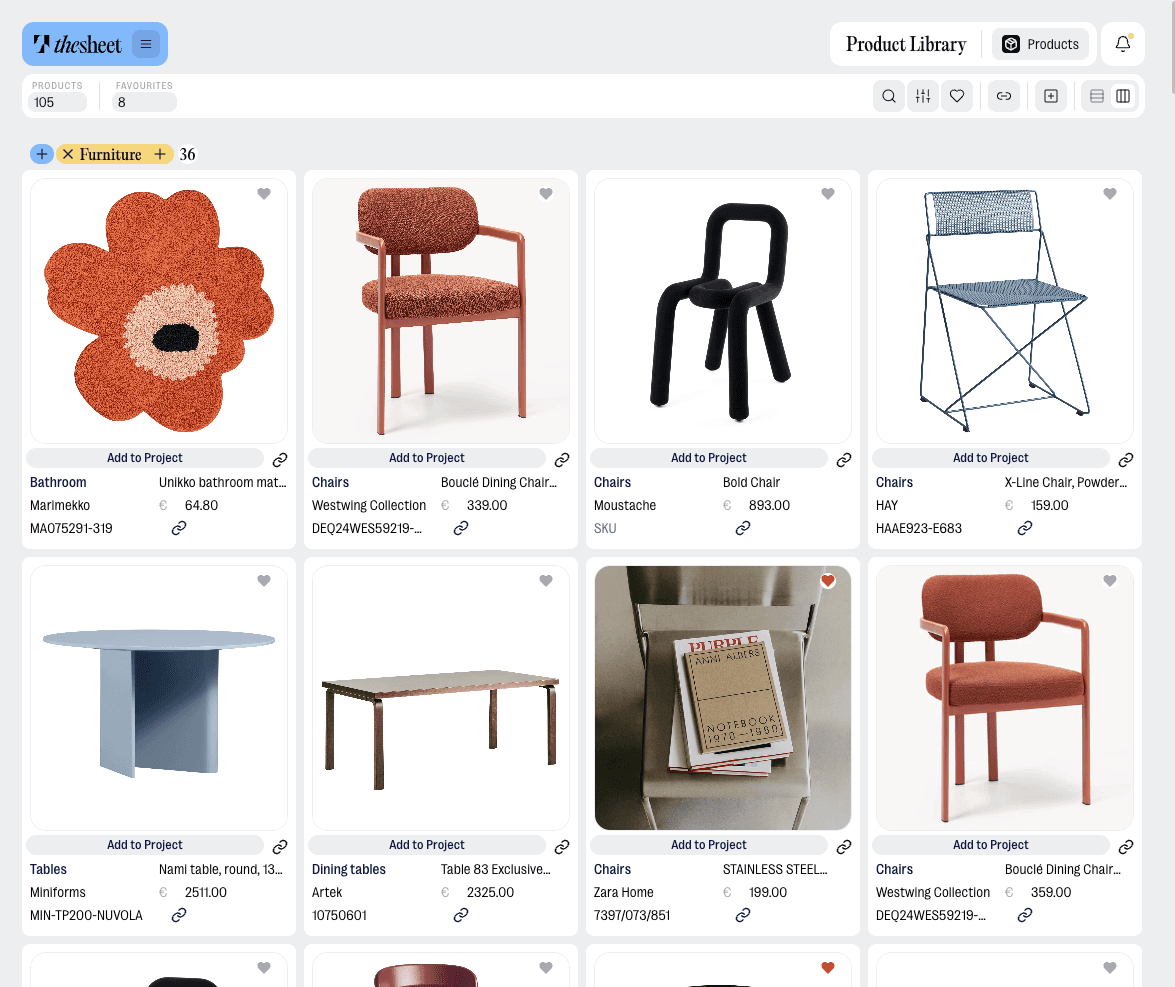
Stop rebuilding the same product list from project to project. Product Library keeps your saved products and product details in thesheet, so the pieces you already sourced are ready for the next room, project or spec sheet.
Clip products as you source, save them to your library and bring them into new projects without copying images, links and prices all over again. Less starting from scratch. More getting on with the design work.
Build a library while you source
Use the Product Clipper to save product images and details from supplier websites into thesheet. You can add products to an active project or keep them in your Product Library for later.
Reuse products in new projects
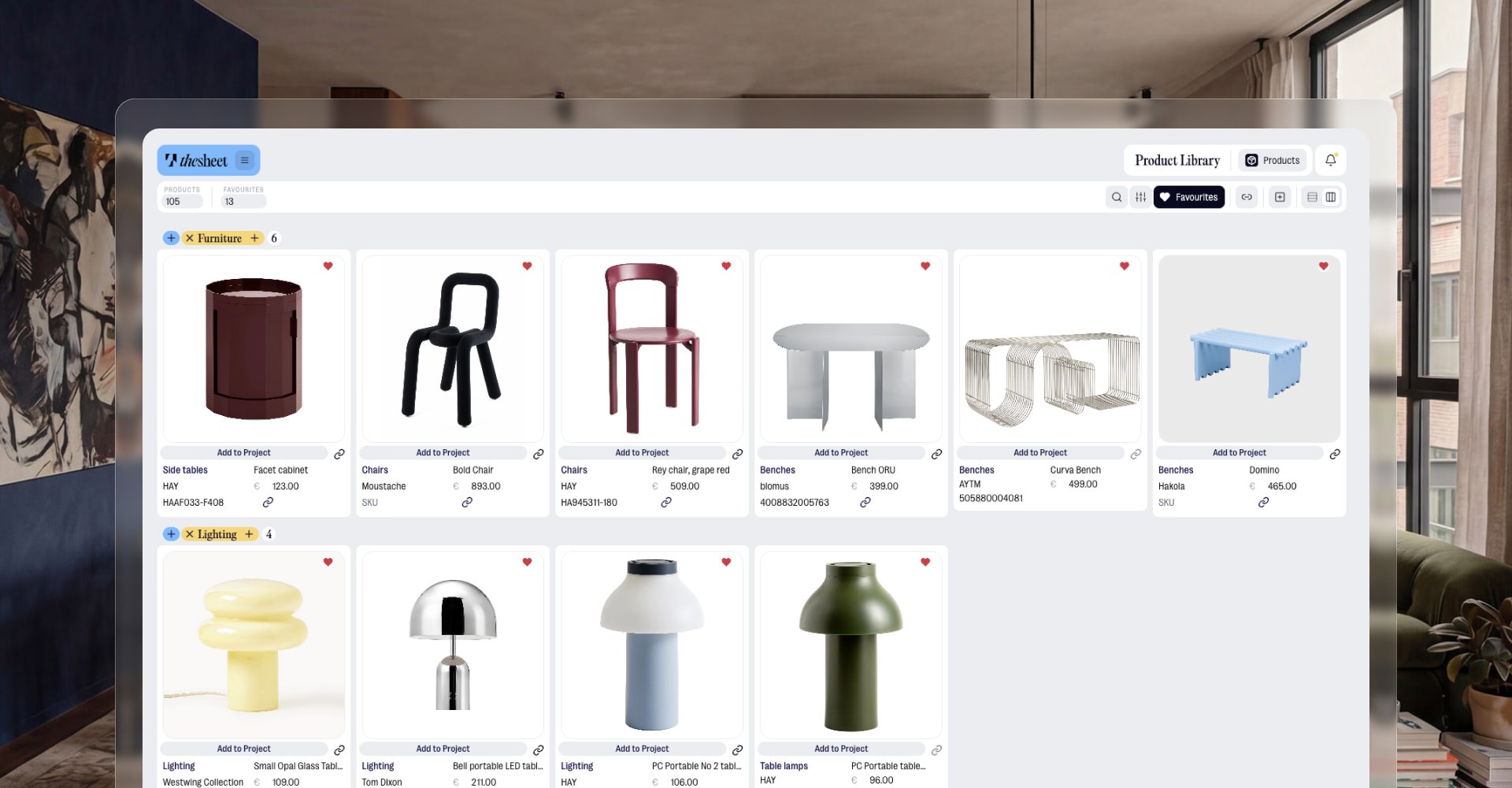
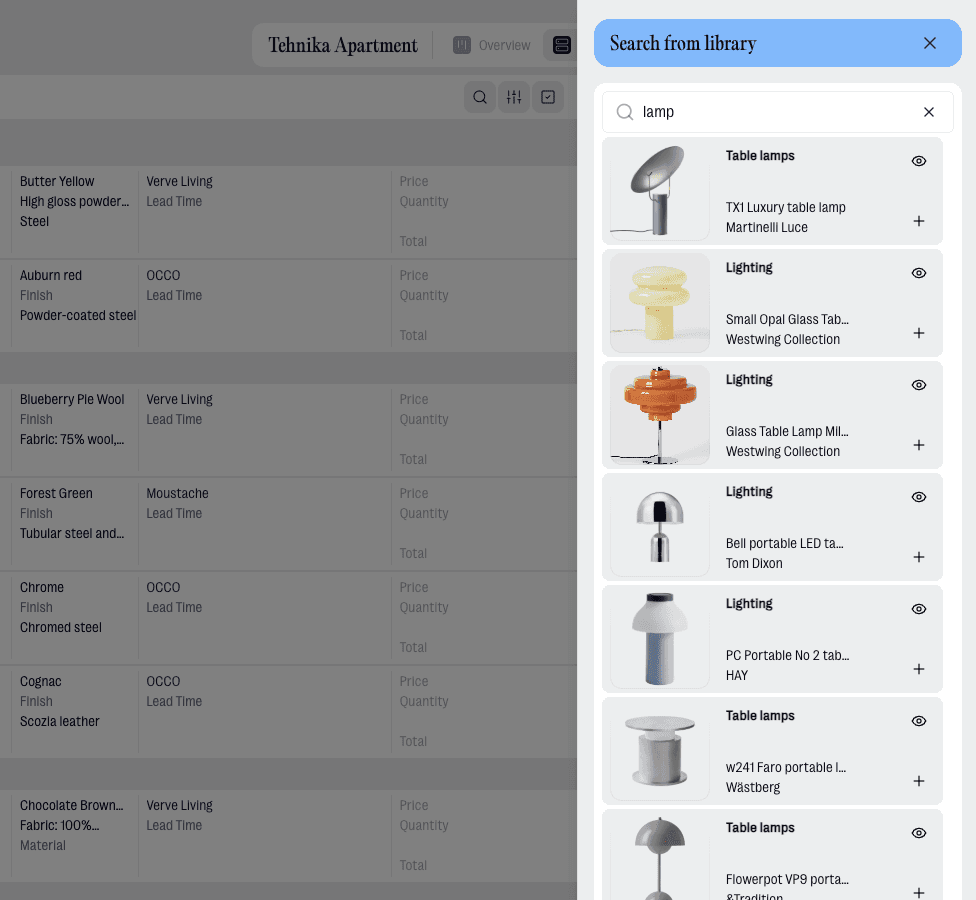
When a chair, lamp or finish comes up again, pull it from your Product Library instead of re-entering the same details. The product is ready to drop into a new room, project or spec sheet.
Bring old product lists with you
If you already have product URLs or spreadsheet work in progress, thesheet can help you move it in. Import from URLs to build your library, or use Import from Excel when you are bringing an existing project into thesheet.

"Half the work is already done by the time I create the shopping list, because I can save products as I go."
Paola Castillo
Interior Designer & Founder, Own Space
What you can do
Save reusable products and product details in one place
Add products from supplier websites with the Product Clipper
Import product URLs and let Donut fetch details like images, dimensions, price, description and materials
Use labels from URL imports as tags in your library
Reuse saved products in future projects and spec sheets
Real life use
Workflow example
You are sourcing for a living room and find a side table that will probably work again. Clip it once, save it to your Product Library and add it to the current project. A few weeks later, when another client needs a similar piece, you can bring that saved product into the new project instead of hunting through bookmarks, screenshots and old spreadsheets.
Try thesheet for free
Create a free workspace and build your first client-ready project.
Good questions
Answers to common questions about getting started and using thesheet day to day.

What is Product Library for?
Product Library is for saving products you may want to use again. It keeps reusable product details in thesheet so you can add them to future projects without rebuilding the item from scratch.
Can I save products while I am sourcing online?
Yes. You can use thesheet Product Clipper to add product images and information from supplier websites to an active project or your Product Library.
Can I reuse a saved product in another project?
Yes. The point of Product Library is to source a product once and reuse it in future projects when it fits again.
Can I import a list of product links into the library?
Yes. Product Import from URLs lets you paste product URLs into your Product Library and choose what Donut should fetch, including product info, images, dimensions, price, description and materials.
How does Product Library connect to spec sheets?
Saved products can be added to projects, where they become part of the product list and spec sheet workflow. From there, you can compare Product alternatives, share client-ready specs or export a focused PDF when needed.