Spec sheets
Interior design spec sheets that stay clear as the project moves
Build spec sheets from the products, images, notes, spaces and project details you already have in thesheet. No rebuilding the same document every time the scheme changes. Keep the practical details together, organise products by room or category and give clients a cleaner way to understand what is being specified.
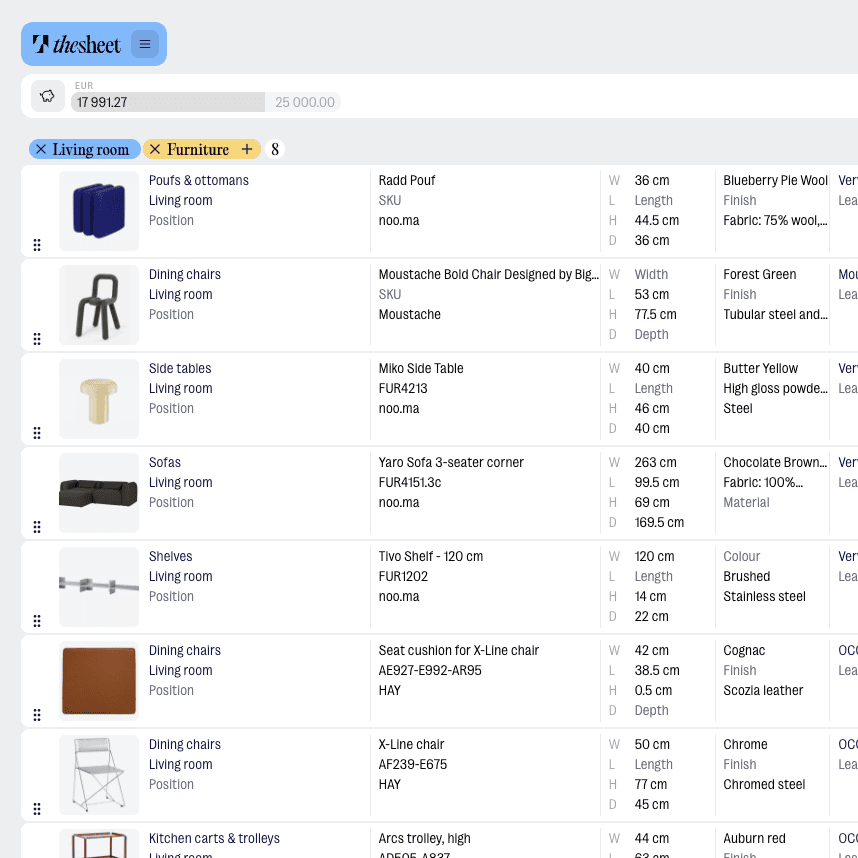
Start with the product list
Add products to a project, then turn them into a spec sheet with the details that matter: images, names, supplier information, dimensions, notes, quantities and status.
Organise it around the design
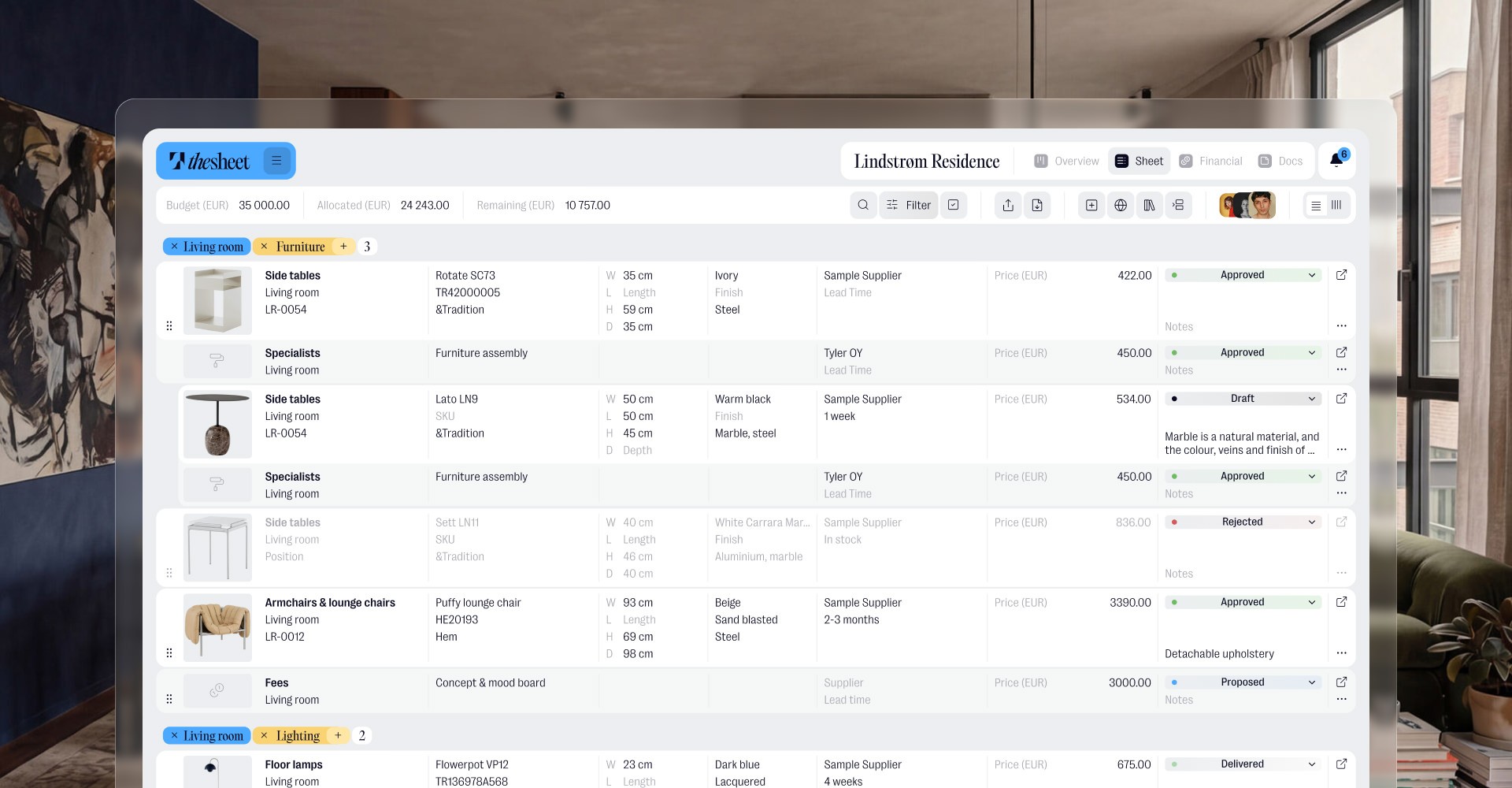
Group items by space, category or project stage so a client can follow the scheme without digging through a spreadsheet or a folder of separate files.
Keep changes easier to handle
When products move, notes change or statuses need updating, your spec sheet can follow the project instead of becoming another document to maintain by hand.

"Anything that helps you put together a clear, professional presentation really, really helps."
Oana Bancu
Architect and Interior Designer
What you can do
Products with images, names and supplier details
Spaces, categories and project sections
Statuses for tracking what is proposed, approved or still in progress
Notes for client context, install details or internal reminders
Project information that keeps the sheet clear and easy to read
Real life use
Workflow example
Start with a rough product list for a room or whole project. Add images and details as you source, sort items into spaces or categories, then refine the notes and statuses as the design takes shape. By the time you need to present it, the spec sheet already has the structure clients need: what the item is, where it goes, what matters and what still needs a decision. For handoff, use PDF export to create a focused version, and keep competing options organised with Product alternatives.

Try thesheet for free
Create a free workspace and build your first client-ready spec sheet.
Good questions
Answers to common questions about getting started and using thesheet day to day.

Can I create spec sheets from products I have already saved?
Yes. Spec sheets are built from the product information in your project, so you can use saved products, images, notes, spaces and statuses without starting a separate document from scratch.
Can I organise a spec sheet by room or space?
Yes. You can structure products around spaces and categories, which makes the sheet easier for clients to read and easier for your team to manage as the project changes.
Can I include product images and notes?
Yes. Spec sheets can include product images and useful notes alongside the product details, so the context stays close to the item instead of scattered across emails or slides.
Can I track product status in a spec sheet?
Yes. Statuses help show where each item is in the process, such as proposed, approved or still being worked through, depending on how your project is set up.
Is this meant to replace spreadsheets or presentation documents?
It can replace a lot of the manual spreadsheet and document work around specifications. Keep product details structured in thesheet, use Product alternatives when options are still being compared and use PDF export when you need a client-ready spec sheet to send.