A simpler Mydoma Studio alternative for small interior design studios
Mydoma Studio runs a whole design business. thesheet covers sourcing through client approvals. Compare monthly pricing and scope to see which one fits your studio.

Table of contents
Share
If the centre of your work is sourcing products, building specifications, reusing selections and getting client sign-off, thesheet is the better fit of the two and the faster one to start using. If you also want tasks, timelines, contracts, invoicing, orders, payments and reporting living in the same system as your design work, Mydoma Studio covers more ground.
Most designers arrive at this comparison from roughly the same place. There is a spreadsheet doing the specification work, a folder of supplier PDFs, a few hundred product images saved to the desktop and an email thread where the client approved the dining chairs somewhere around message fourteen. Then you start looking at software and the question quietly shifts from "how do I fix my spec sheets" into "which platform should my studio run on". Those are different purchases.
What a small studio is actually shopping for
Mydoma Studio presents itself as one comprehensive solution for an interior-design business. Its current features page covers project management for tasks, timelines, deliverables, contracts and milestones, a client portal for communication, file sharing and approvals, design boards, product sourcing through a web clipper or mobile app, invoicing, purchase orders, payments through Mydoma Pay, reporting and a QuickBooks integration. That is a lot of studio in one login. For some studios that is exactly the appeal.
Breadth is not free though, even when the monthly price looks reasonable. Every part of a platform is something somebody has to set up and then keep current. Contracts, invoicing and reporting only pay you back if your studio really does run contracts, invoicing and reporting in there. If those sections sit empty while the real work carries on in a spreadsheet, you have taken on a bigger system without solving the thing that was slowing you down.
How do you tell which one you need?
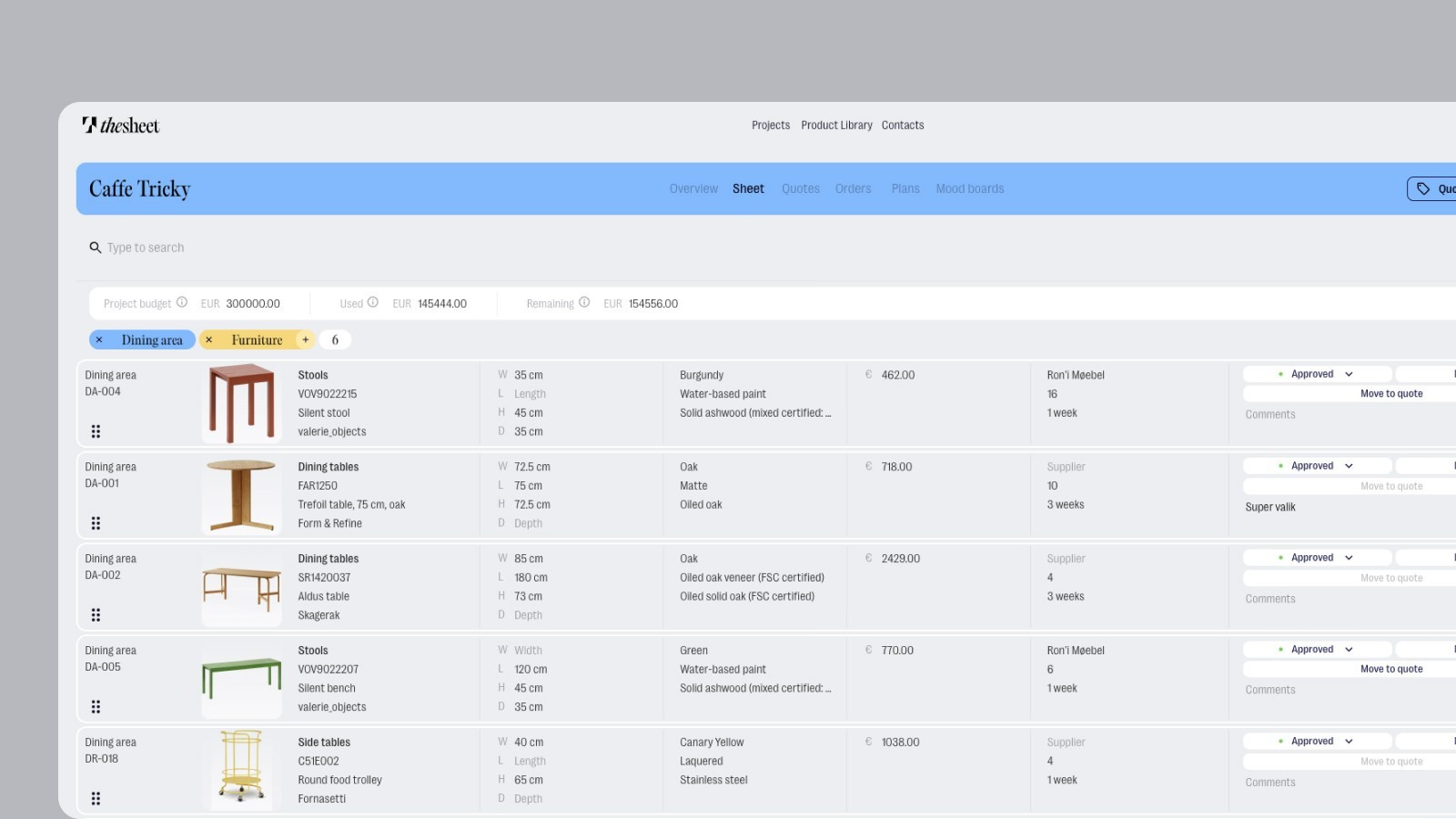
Look at where your hours go on a live project instead of at the feature lists. In most small studios the specification-to-approval loop is where the week disappears: finding products, saving them somewhere useful, laying them out so a client can follow them, getting decisions recorded and then turning approved items into quotes and orders.
A few questions tend to settle it:
If you already have accounting software that works, is there a real reason to move invoicing and payments into your design tool?
Who in the studio will keep tasks, timelines and milestones current once three projects are busy at once? If the honest answer is nobody, that part of the functionality will only get in the way.
How many products does a typical project carry? How much of your week goes into retyping their details from supplier pages?
When a client approves a sofa, where does that decision live afterwards?
Do you need to hand a contractor or a supplier the same list with your margins and trade prices hidden?
If most of your answers point at products, sheets, sharing and approvals, buy for that workflow and keep the rest of your studio where it already works. If they point at running the whole business through one platform, buy for that instead.
What each one costs per month
Mydoma Studio's pricing page lists $58 per user per month when paid yearly. New accounts also have a one-time $300 onboarding investment, which includes two personalised 1:1 sessions plus an import of your client and vendor addresses. That onboarding is part of opening a new account rather than an optional add-on.
thesheet lists Solo as free with one active project. Studio is €35 per month and includes two seats, with extra seats at €19. Agency is €200 per month with unlimited seats and white-glove onboarding. You can read thesheet pricing in full before you decide anything.
Two things to keep straight when those numbers sit next to each other. Mydoma's rate is per user and billed yearly, so a two-person studio is paying that rate twice. thesheet Studio is a monthly price that already covers two people.
Here is how the two line up on the work itself, using each product's current published pages.
The work | Mydoma Studio | thesheet |
|---|---|---|
Getting products in | Product sourcing through a web clipper or mobile app | AI Product Clipper, pasted supplier links, Snip-to-Clip, Excel import and a reusable Product Library |
Specification sheets | Files and deliverables inside the project and client portal | Structured spec sheets are the centre of the product, with filters, organisation and field visibility controls |
Client decisions | Client portal for communication, file sharing and approvals | Client link with item-level approvals and comments, product alternatives and studio branding |
Project management | Tasks, timelines, deliverables, contracts and milestones | Project overview and Plan view for the specification side of a project |
Money and back office | Invoicing, purchase orders, payments through Mydoma Pay, reporting and a QuickBooks integration | Project finances, margins, service items, quote requests and purchase orders. No invoicing, payment processing or accounting reporting |
Design boards | Design boards are part of the platform | Not part of the product |
Team | Priced per user | Studio includes two seats with extra seats at €19, plus team permissions, external collaborators and internal notes |
Trying it before you commit | New accounts include a one-time $300 onboarding investment with two 1:1 sessions | Solo is free with one active project, so you can run real work through it first |
Published monthly price | $58 per user per month, billed yearly | Solo free, Studio €35 per month for two seats, Agency €200 per month. Excludes VAT |
Where Mydoma Studio is the better fit
If your studio wants its whole operation in one place and will use it, the broader platform is the better buy. thesheet does not do any of the following and is not trying to.
Full project management with tasks, timelines, deliverables, contracts and milestones for the build as well as the specification.
Invoicing your client, taking payment through the platform and reconciling it with QuickBooks.
Business reporting across projects for someone who wants to run the numbers from the same login.
Design boards inside the same tool as everything else.
Structured onboarding with someone walking you through setup on a call, which is included for new Mydoma accounts.
A studio with an office manager, an accountant and several concurrent builds can get real value out of that scope.
Where thesheet is the better fit
thesheet is specification software for interior designers. The whole product is built around that loop: getting products in, laying them out properly, sending them to a client for a decision and turning the approved ones into quotes and orders. If that is where your pain is, a focused tool gets you there with less to learn and less to keep tidy.
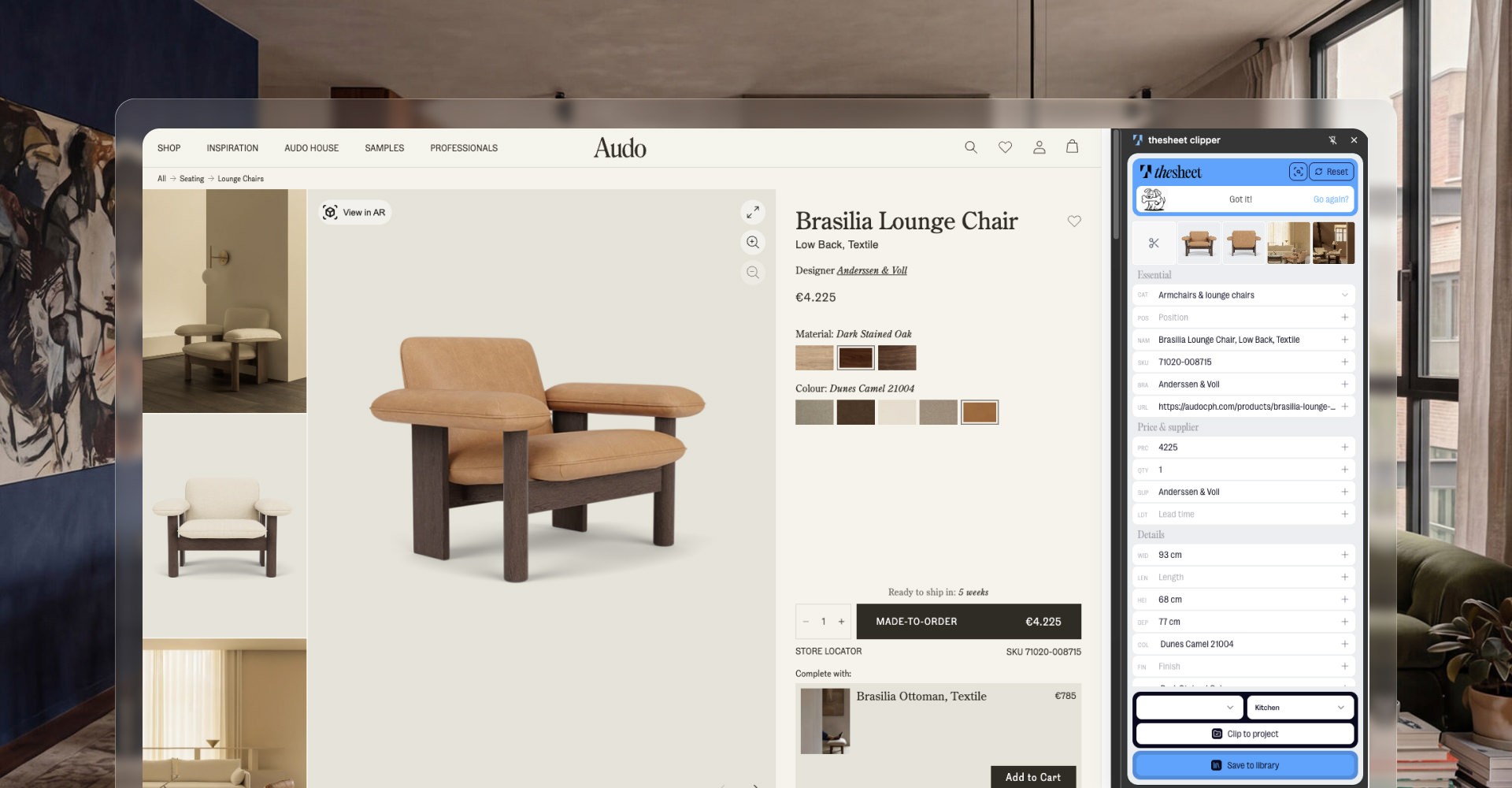
Getting products in without retyping them
You clip a product straight from a supplier site with the AI Product Clipper, or paste the supplier link into the project and let thesheet pull the image, price and details in. When a page refuses to cooperate, Snip-to-Clip takes it from the screen instead, and an existing list comes in from Excel rather than being typed out again. Anything you specify often gets saved once to the Product Library, so the next room starts with your regular pieces already in it.
Sending a client something they can decide on
You share one client link. The client opens a clean view of the products with your studio branding on it, then approves, rejects or comments on each item, so the decision stays attached to the thing being decided. Field visibility controls mean the version a contractor sees doesn't carry your margins or supplier details. Where a choice is still open, product alternatives let you put two options in front of the client without building a second sheet. It's worth reading how to structure an interior design spec sheet if you are rebuilding yours anyway.
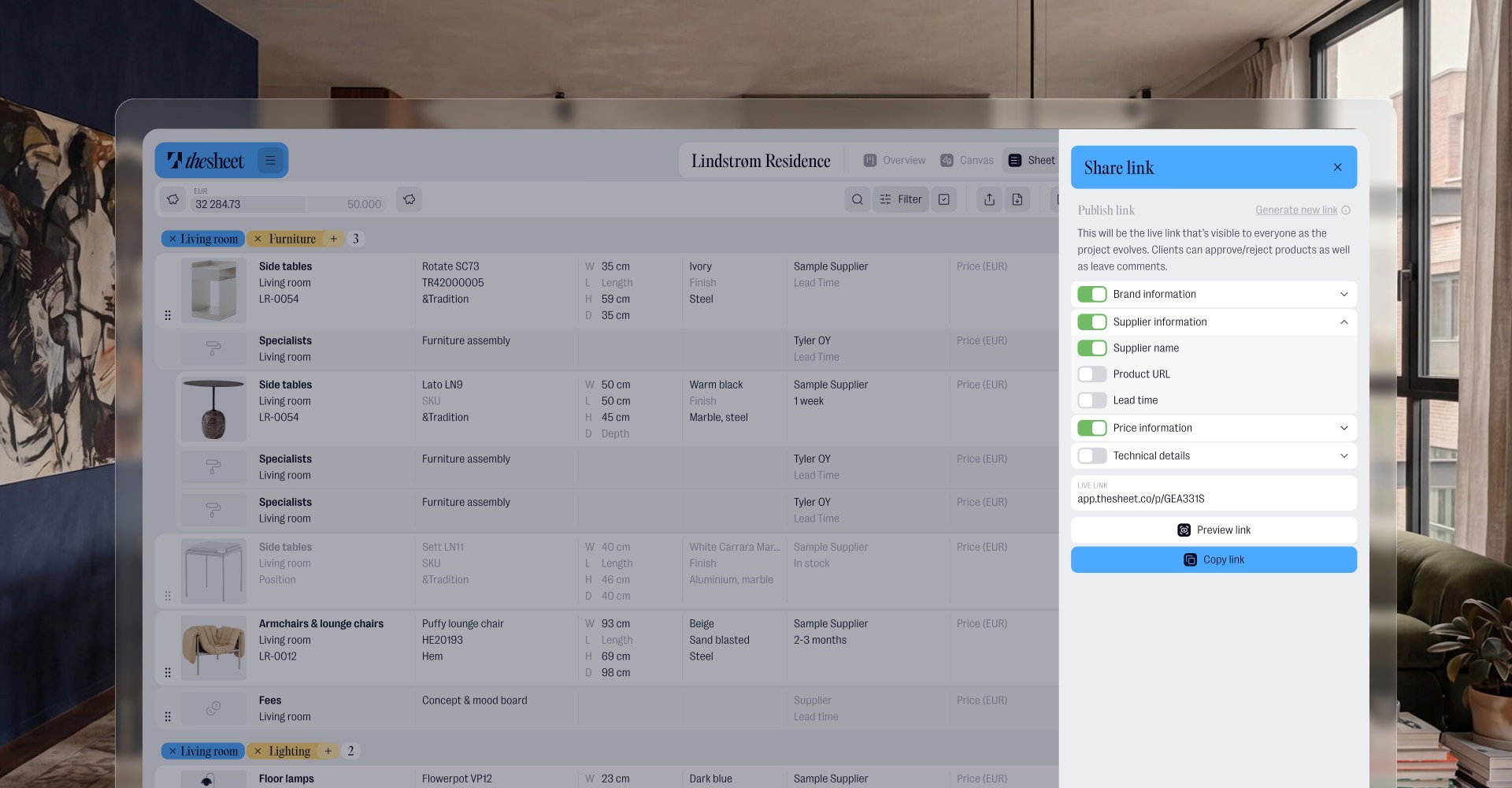
Turning approved items into quotes and orders
Approved products are already the source for the commercial side. Quote requests go out from the same list, purchase orders come from the products themselves and service items cover shipping and installation fees. Margins sit on the project finances rather than in a second spreadsheet you update by hand. Your invoicing stays wherever it lives now.
Working as a small team
Studio covers two seats, so a designer plus one other person is the default rather than an upgrade. Team permissions decide who sees what and external collaborators can be brought into a single project without joining the studio. Internal notes keep the studio conversation about a product separate from anything the client reads. You can see what thesheet currently does in full if you want the detail.
The short version
Mydoma Studio is the broader interior-design business platform: project management, client portal, design boards, sourcing, invoicing, orders, payments and reporting. Choose it if your studio will use all of that in one place. thesheet is the better Mydoma Studio alternative when your real job is sourcing, specifications, reusable selections and client approvals, because that is the whole product rather than one module of it. Published prices are $58 per user per month billed yearly for Mydoma Studio, against a free Solo plan and €35 per month for two seats on thesheet Studio.
The most practical way to settle it is to test the loop rather than read about it. Start free with thesheet, put one real project in and take it from the first clipped product to a client approval. If you are still weighing up the wider question, here is how designers choose specification software.