How to Save Time on Interior Design Projects: A 5-Step Workflow That Reduces Rework
A practical five-step workflow for interior designers who want to spend less time rebuilding spreadsheets, PDFs and client updates: structure early, budget sooner, prepare alternatives and keep decisions tied to one current specification.
Table of contents
Share
It is week eleven. The joinery is on order. The client has approved most of the living room. Then a supplier emails to say the armchair fabric has been discontinued, offers two alternatives and needs an answer by Friday.
The decision takes four minutes. The admin takes the rest of the afternoon. You swap the fabric in the specification. You update the price in the budget, then the quantity, because the alternative comes in a different width. You scroll back through the client thread to find where the original was approved. You re-export the PDF, rename it v7, send it over with a note explaining what changed. Two days later the contractor asks which version is current.
None of that afternoon was design work. The same few facts had to be retyped, reconciled and reformatted for a different reader each time. The four steps below are habits you can start on your next project with whatever tools you already use. The fifth is where software starts to earn its keep, because it stops the maintenance repeating.
1. Build the project structure before you start sourcing
It is tempting to start with sourcing, because that is the enjoyable part. But a longlist with nothing underneath it turns into a sorting job later.
What should be in place before you source anything?
A list of spaces, a category checklist for each space, the products that serve the whole project, the services you expect to need and the questions still open. Half an hour at the start, at most.
Write the spaces the way the project actually refers to them: Master bedroom, Guest WC, Hallway, Terrace. Under each one, list the categories you know you will need before you know what will fill them. Seating, lighting, soft furnishings, window treatments, sanitaryware, ironmongery. Then add the things that belong to the project rather than to one room, like sockets, paint finishes or door handles. Note the services you can already see coming: delivery, install, an electrician for the pendant drops, a joiner for the wardrobe internals. Finally, keep a short list of open questions with the name of whoever owes you the answer.
Skip that and the problems are fairly predictable. Two pendants specified for a space with one ceiling drop. A sideboard ordered before anyone measured the lift. Freight for an Italian sofa discovered at invoice stage. A mirror that nobody agreed to fix to a tiled wall. None of these are sourcing mistakes. They are gaps in the list. For a fuller breakdown of how to lay out the specification itself, our essential guide to structuring interior design spec sheets goes room by room.
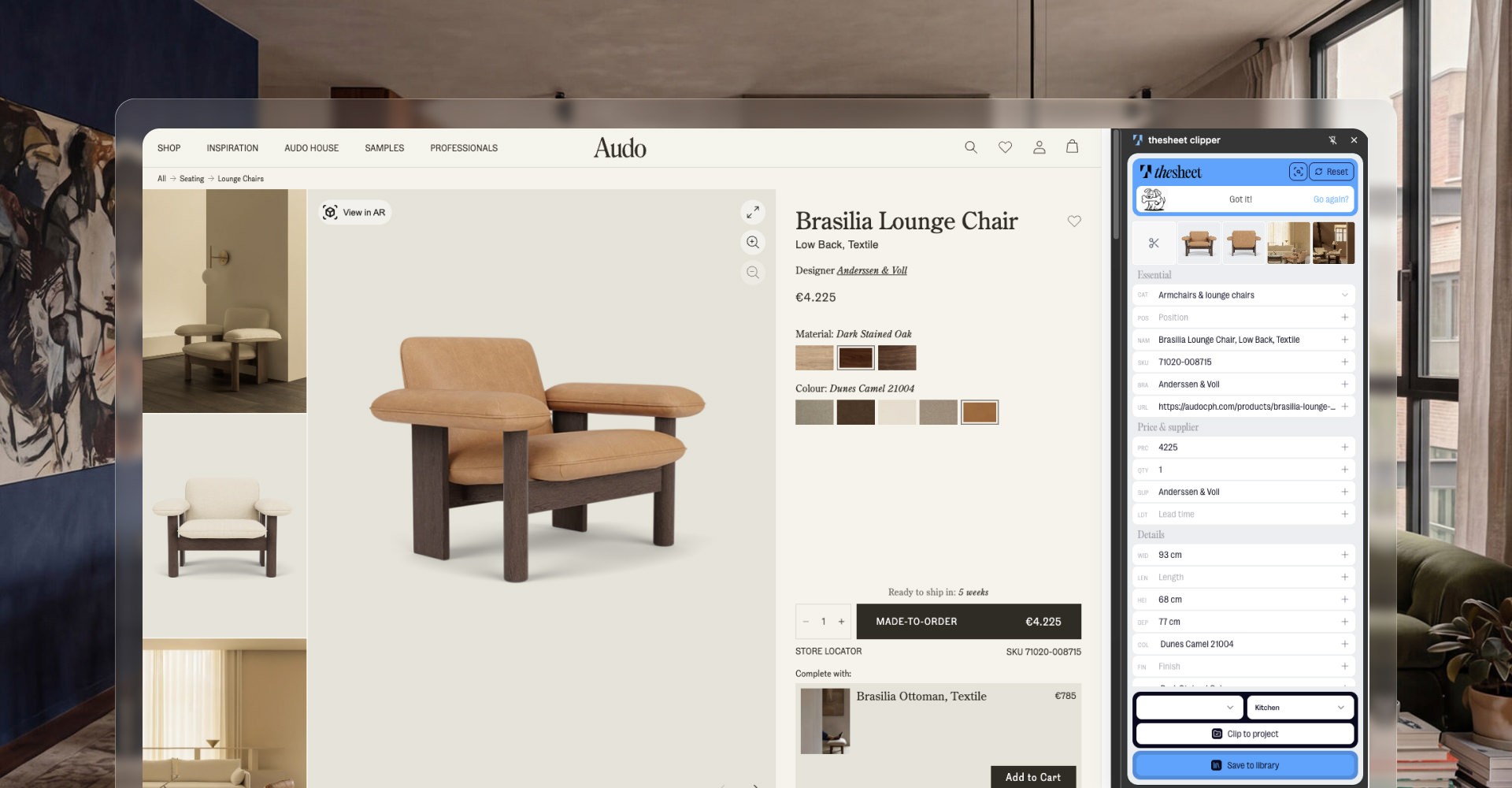
2. Capture product information once, while you are sourcing
Bookmarking a product to write up properly later is a promise to do the work twice. By the time you come back, the tab is closed, the page has changed or the price has moved.
Capture the same fields every time, at the moment you find the product:
image
product name
supplier or manufacturer
product URL
size, finish and colour
price and currency
lead time or stock status
Why does a promising longlist fall apart two weeks later?
Because it was never readable on its own. A list of names and screenshots needs a row of tabs reopened before anyone can decide anything, which means doing the sourcing twice. A longlist is only useful if a client, a contractor or you on a Monday morning can read it without going back to the source.
Lead time is the field most often skipped and the one most likely to reshape a programme. A chair with a fourteen-week lead time is a different chair to the one you thought you specified.
3. Keep the working budget beside the product decisions
Numbers drift the moment they live somewhere else. A budget in a separate file becomes a second version of the truth. It is always slightly behind, usually by one supplier quote.
A few habits keep it honest. Mark what is provisional against what is confirmed, so nobody treats an estimated cushion price as a quoted one. Record real quantities rather than one line per product, because six dining chairs and one dining chair are not the same conversation. Note tax, discounts and currency at the moment you learn them instead of at reconciliation.
Then put the services in early, even as rough figures. Delivery, installation, contractor work, storage, your own fees. These costs can appear late in a project and feel like a surprise to the client, even when they were predictable much earlier. A budget that only contains products omits what it takes to get them into the room.
4. Give clients a decision system instead of a document dump
What looks like client indecision is often a presentation problem: forty pages with no indication of what needs a decision or by when.
Set review points and name them. Concept, space-by-space longlist, final specification, ordering. Give each one a deadline that fits the lead times you recorded in step two. Then give the client one place to respond.
The alternative is the version most studios know well. A static PDF goes out. Feedback comes back as three emails, a WhatsApp voice note, a phone call and one marked-up page photographed at an angle. Somewhere in that there is an approval, probably the phrase "looks great", sitting in a thread that also discusses tiling and the neighbour's scaffolding.
How do you know an approval actually happened?
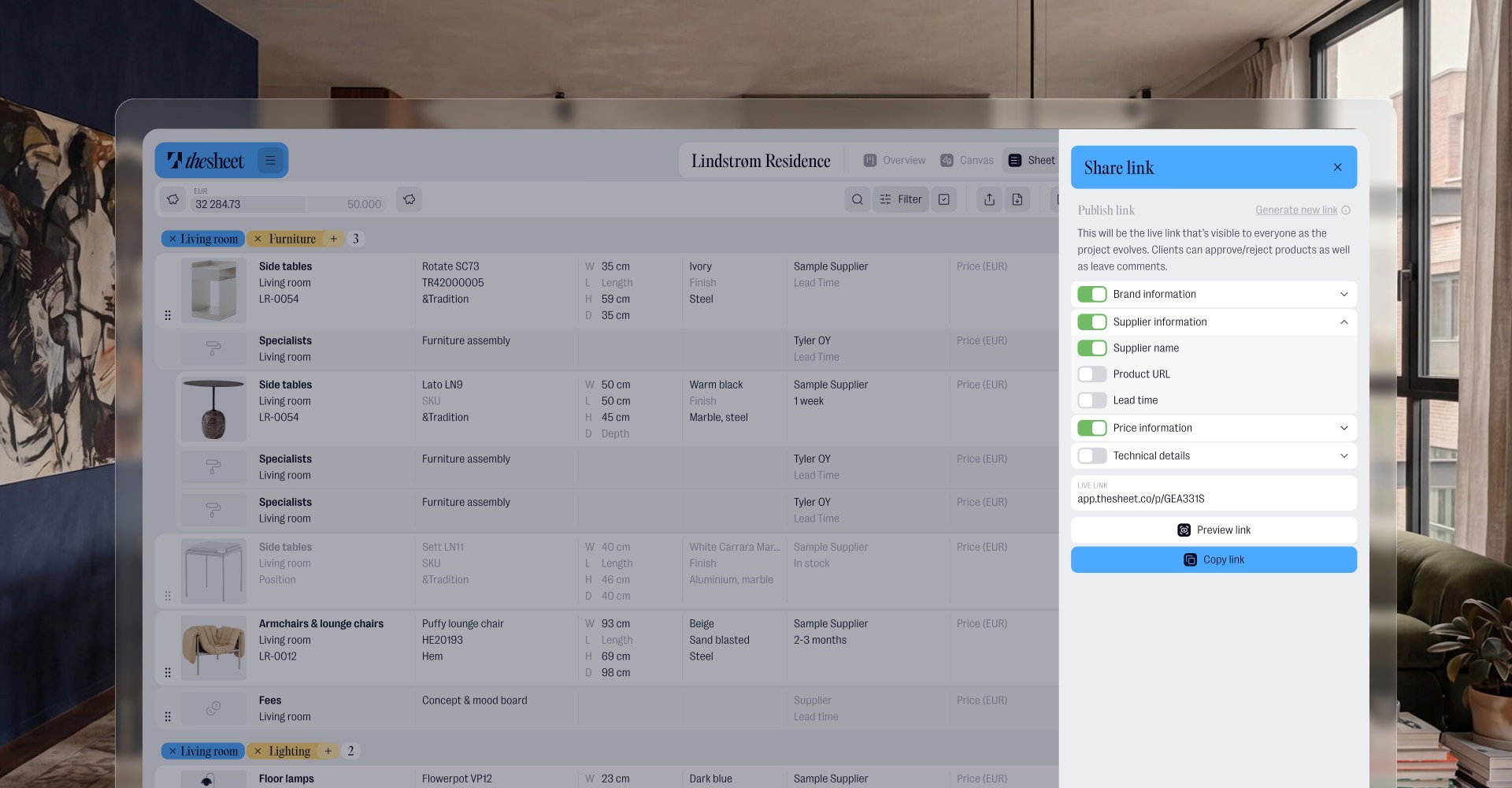
An approval is only reliable when it is recorded against the item, with who approved it and when. A message in a thread confirms a mood rather than a decision, which is how studios end up ordering something the client remembers differently. Our guide to sharing interior design spec sheets with clients covers the sharing side in more detail.
5. Let one live specification do the repetitive work
Everything above works in a spreadsheet. What a spreadsheet cannot fix is the repetition. The structure sits in one file, the budget in another, the client conversation in an inbox, the deliverable in a PDF. Change the armchair fabric and you touch all four.
thesheet is built for that problem: one live specification that the whole project runs from.
Projects are organised by space, then by category inside each space, so the structure you wrote down in step one is the structure you work in. A product used in more than one room is added once and assigned to every space it belongs to. Anything you specify repeatedly lives in your Product Library, ready to reuse on the next project instead of being researched again.
Capture happens while you source. The Product Clipper pulls a product off a supplier page into the project, or you paste the URL straight in and let Donut, thesheet's AI helper, fetch the details rather than typing fields one at a time. When a supplier sends a PDF price list instead of a website, Snip-to-Clip takes what you need off the screen.
Quantities, prices, discounts and currency sit on the product itself, and delivery, installation, contractor work and professional fees go in as service items. The finance table and the project Overview total everything as the specification changes, so the figure you quote comes from the project rather than from a file you last touched on Tuesday.
Decisions are stored with the products. Alternatives sit under the main product when you want the client to choose between them. Comments land on the item being discussed, and approvals are recorded against the product with a timestamp, so you can see what is signed off and what is still waiting. A personal link gives an individual their own view, and Internal Notes keep private studio discussion with the project without showing it to the client.
One project then produces the documents each audience needs. Filter by space, category or status, or use Plan View when the specification reads better laid out visually. Share a client view with your studio branding on it, or export a focused PDF for the contractor with the installation detail and nothing commercially sensitive.
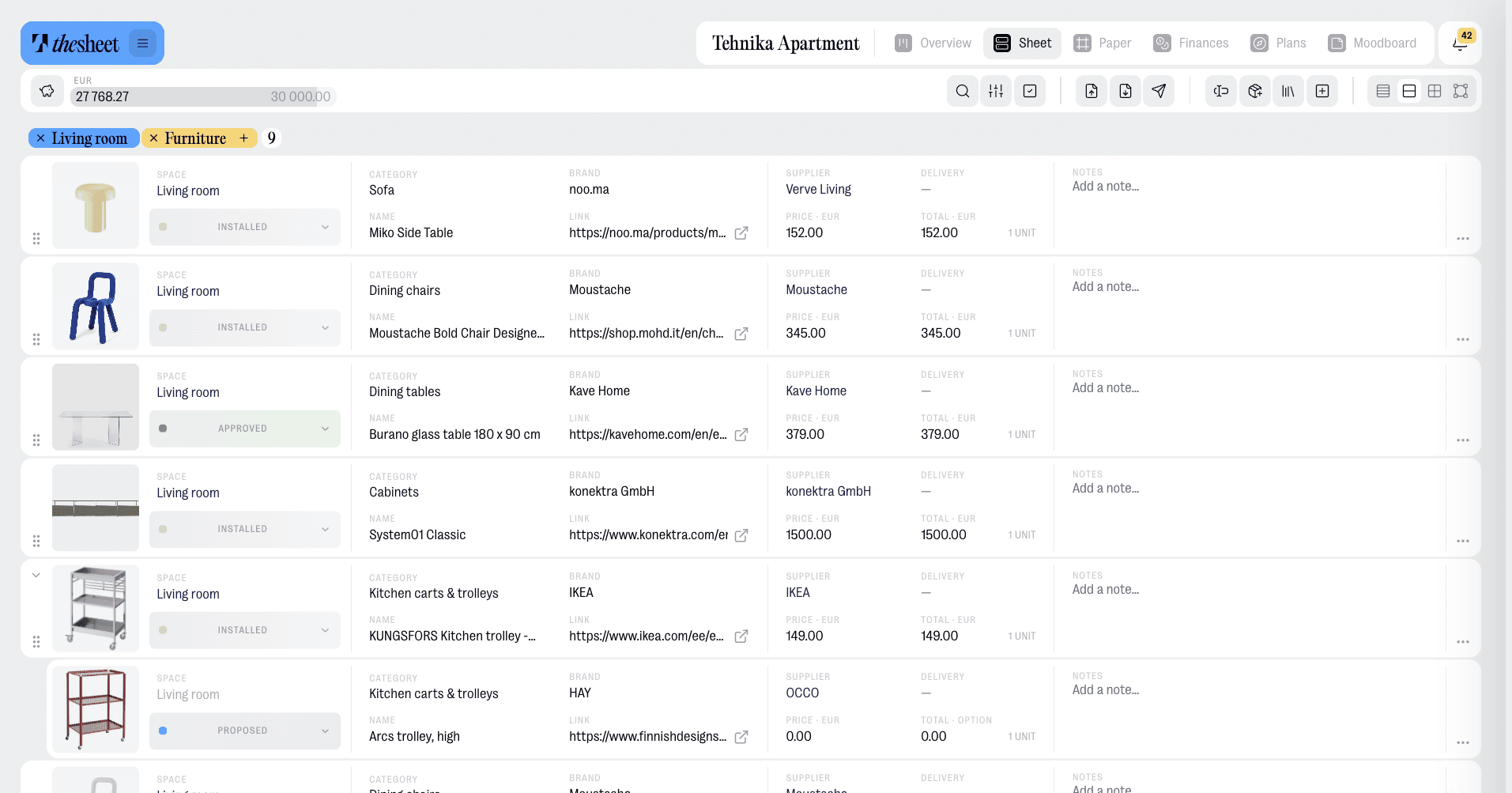
Which brings us back to the discontinued fabric. You change the product once, and the specification, the totals, the client view and the next export are all reading from that same change.
Do I need to rebuild my current project to work this way?
No. Start with the next project. If you want to try it sooner, take one room of the project you are on. Structure the spaces, capture the products properly as you source and share a single client view at the first review point.
The short version
Structure the project before you source, capture product information properly the first time, keep the money beside the product decisions, and give clients defined review points with one place to respond. All four work in a spreadsheet. Running the project from one live specification is what stops you making the same change five times over.
Set your next project up properly from day one. Try thesheet for free.