Product alternatives
Compare product options without losing the main specification
Keep backup options, similar products and client-facing choices connected to the item they could replace. Alternatives help you show options inside your Spec sheets workflow without duplicating the whole sheet or burying decisions in comments.
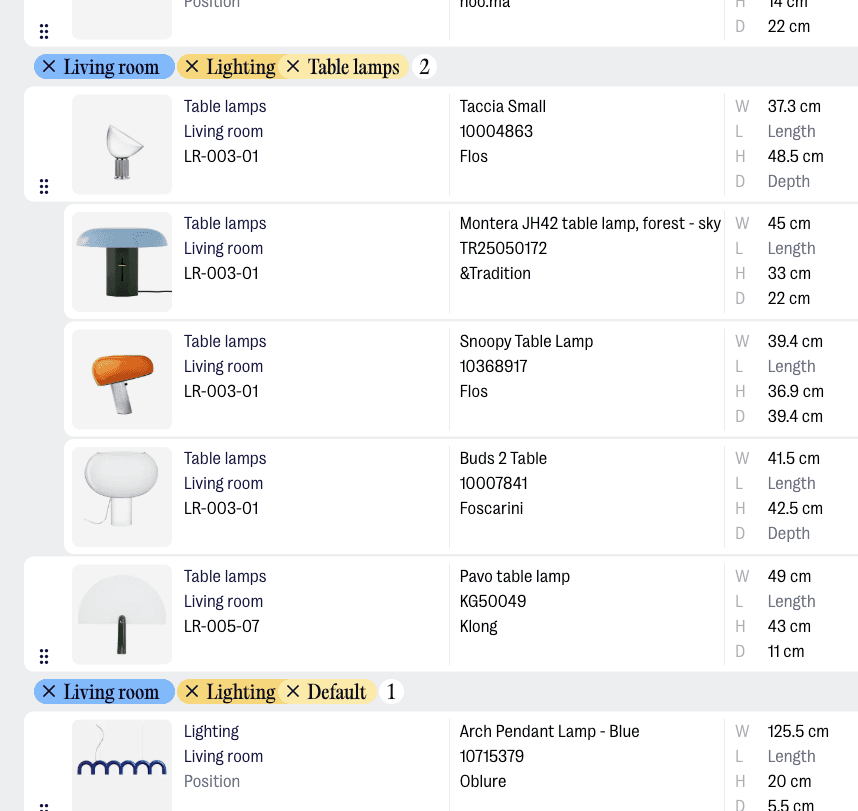
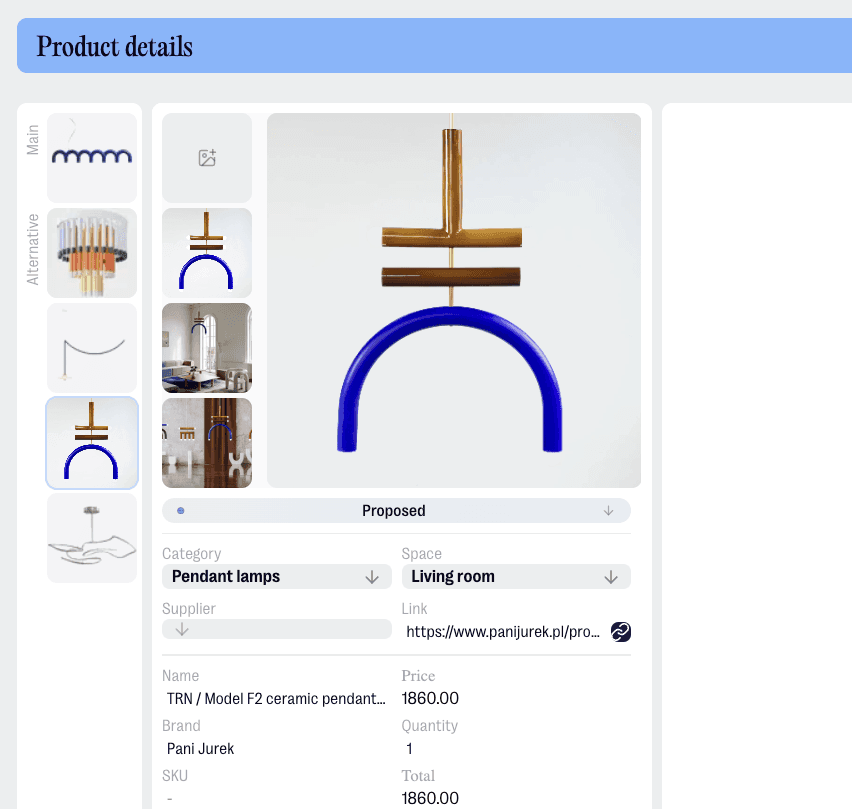
Keep options close to the main product
Attach alternatives to the product they relate to, so the decision stays in context instead of becoming another row, slide or spreadsheet note to reconcile later.
Compare without clutter
Use alternatives when you need a backup, a lower-cost option, a different finish or a product that depends on client approval, while keeping the main spec sheet clear.
Alternatives without budget confusion
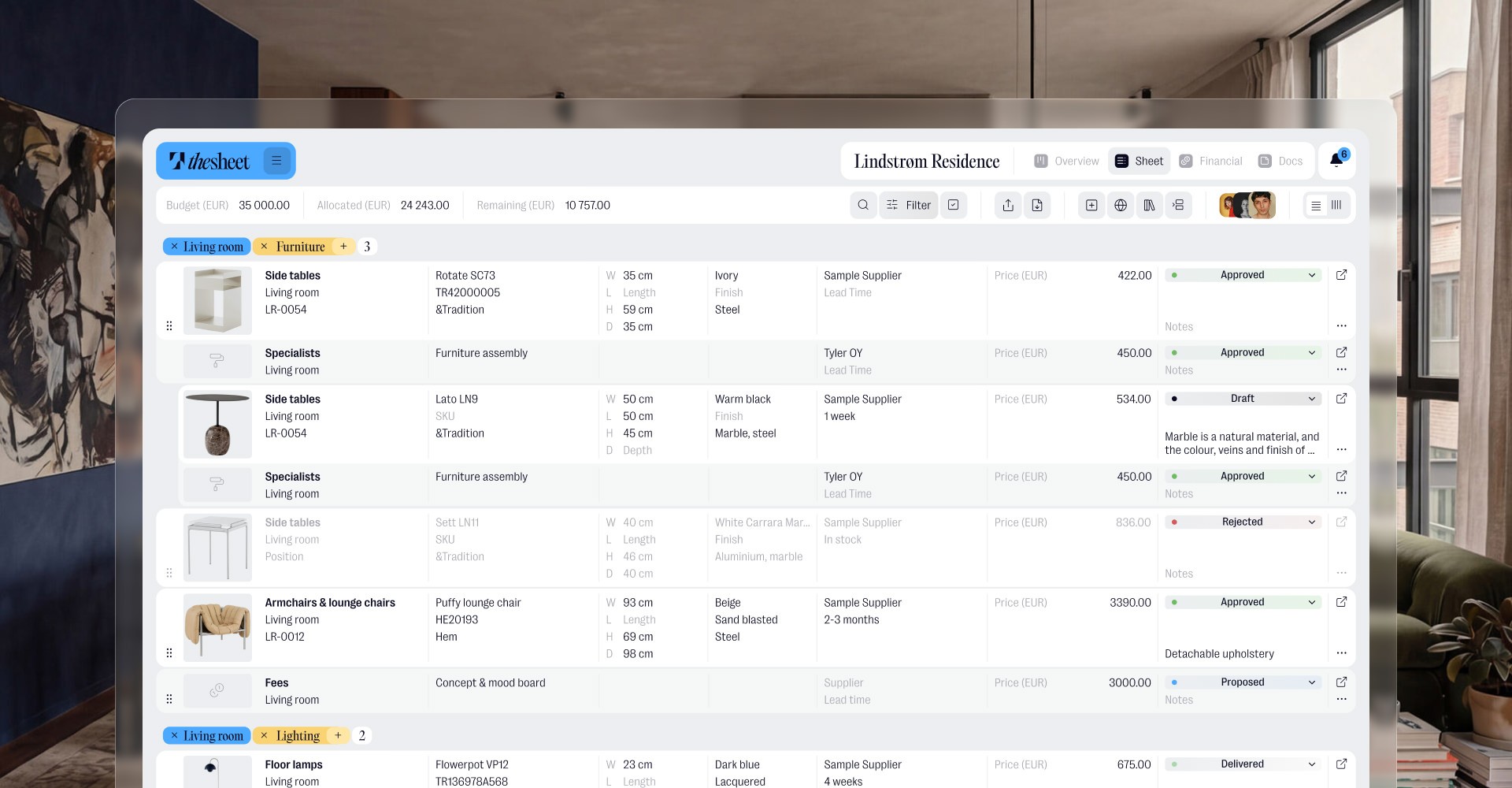
Alternatives are there for comparison, not budget chaos. Only the selected main product counts towards the totals, and switching between alternatives and the main choice takes just a click.

"Anything that helps you put together a clear, professional presentation really, really helps."
Oana Bancu
Architect and Interior Designer
What you can do
Add alternative products to a specified item
Keep backup options tied to the product they could replace
Show clients a controlled set of choices without duplicating the sheet
Compare options by design fit, budget, supplier or availability
Keep the final selection clear once a decision has been made
Real life use
Workflow example
You specify a dining chair but want to keep two backup options ready: one at a different price point and one with a shorter lead time. Add them as alternatives, discuss the options with the client and keep the chosen chair in the main spec when the decision is made. If the option came from sourcing, save or capture it through the Product Library or Product Clipper first, then compare it as an alternative.
Try thesheet for free
Create a free workspace and keep product options organised inside the project spec.
Good questions
Answers to common questions about getting started and using thesheet day to day.

What are product alternatives in thesheet?
Alternatives are related product options connected to a specified item. They help you keep backups, client choices or similar products close to the product they may replace.
When should I use alternatives instead of adding another product?
Use alternatives when the products are competing options for the same need. Add another product when both items are part of the final specification.
Can I use alternatives for budget options?
Yes. Alternatives are useful when you want to keep a lower-cost option, a premium option or a fallback ready without cluttering the main sheet.
Are alternatives visible in the main spec sheet?
They stay connected to the product they relate to, so the main specification can remain focused while the options are still available when needed. Use Spec sheets for the main client-ready structure and Alternatives for the options around a decision.
Do alternatives replace the selected product automatically?
No. Alternatives help you organise the options around a decision. The team still chooses which product belongs in the final specification.