PDF export
Export interior design spec sheets as client-ready PDFs
Turn the project sheet you are already working from into a focused PDF. Filter the view, choose the details that should appear and create a branded spec sheet for a client, supplier, contractor or internal review.
PDF export works best with a clean Spec sheets setup: organised products, useful filters and the right studio branding before you send the file.
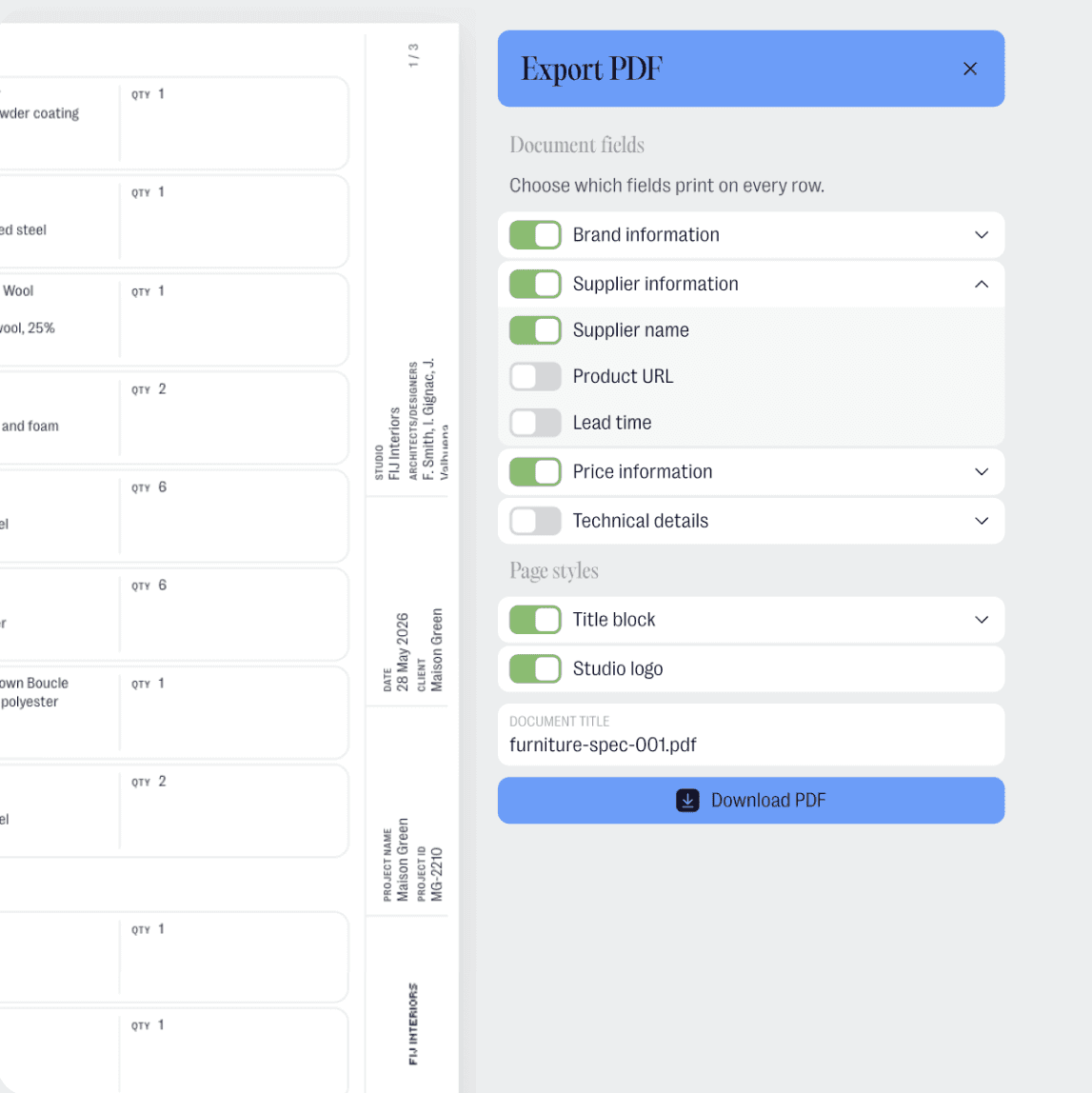
Start from the live sheet
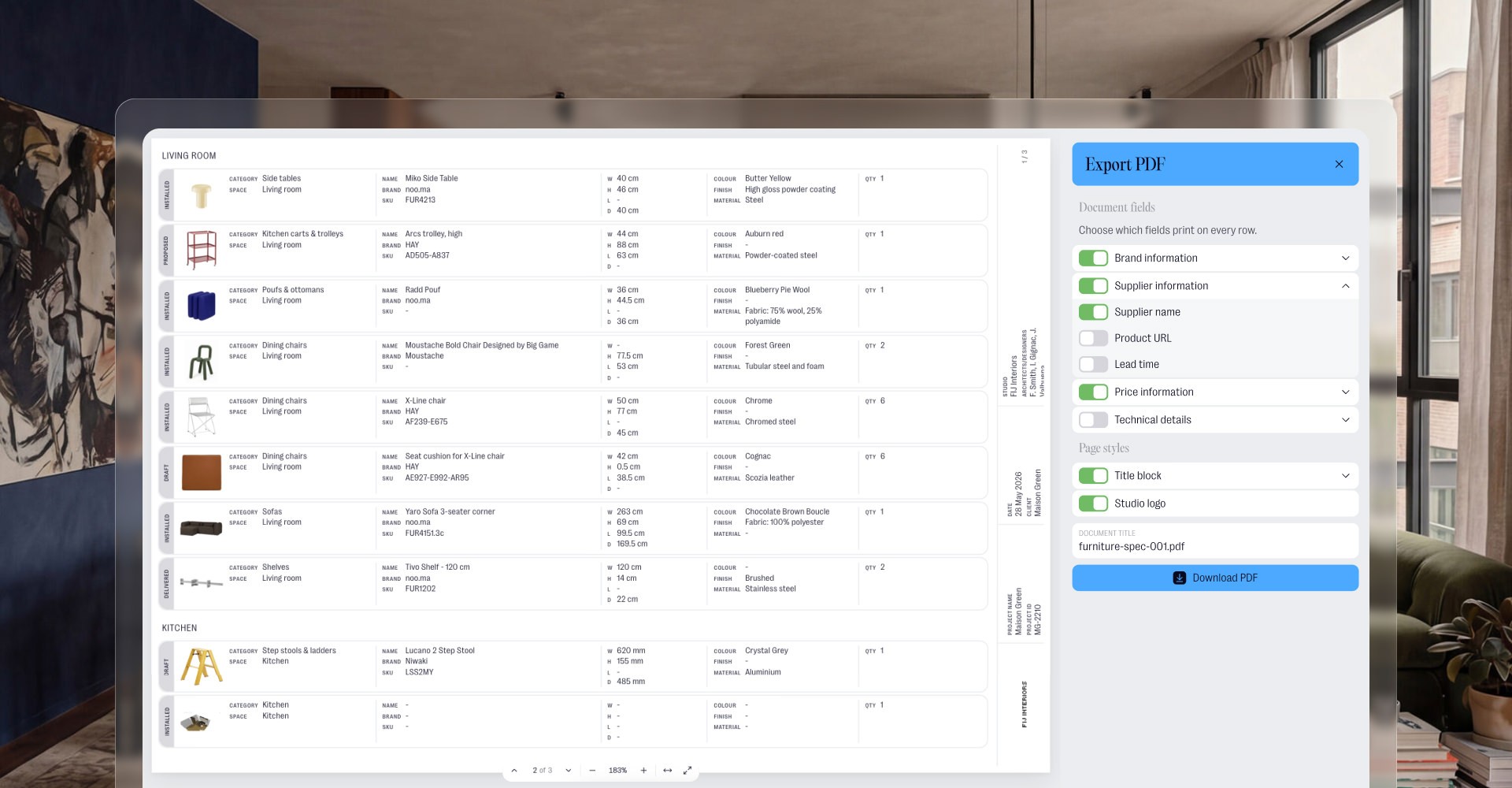
Export from Sheet view instead of rebuilding the same information in a separate document. Product images, names, specifications and visible details stay connected to the project.
Send the right version
Use views and filters plus export controls to decide what belongs in each PDF, from room and category views to whether pricing, vendor or other product information should be shown.
Make it feel like your studio
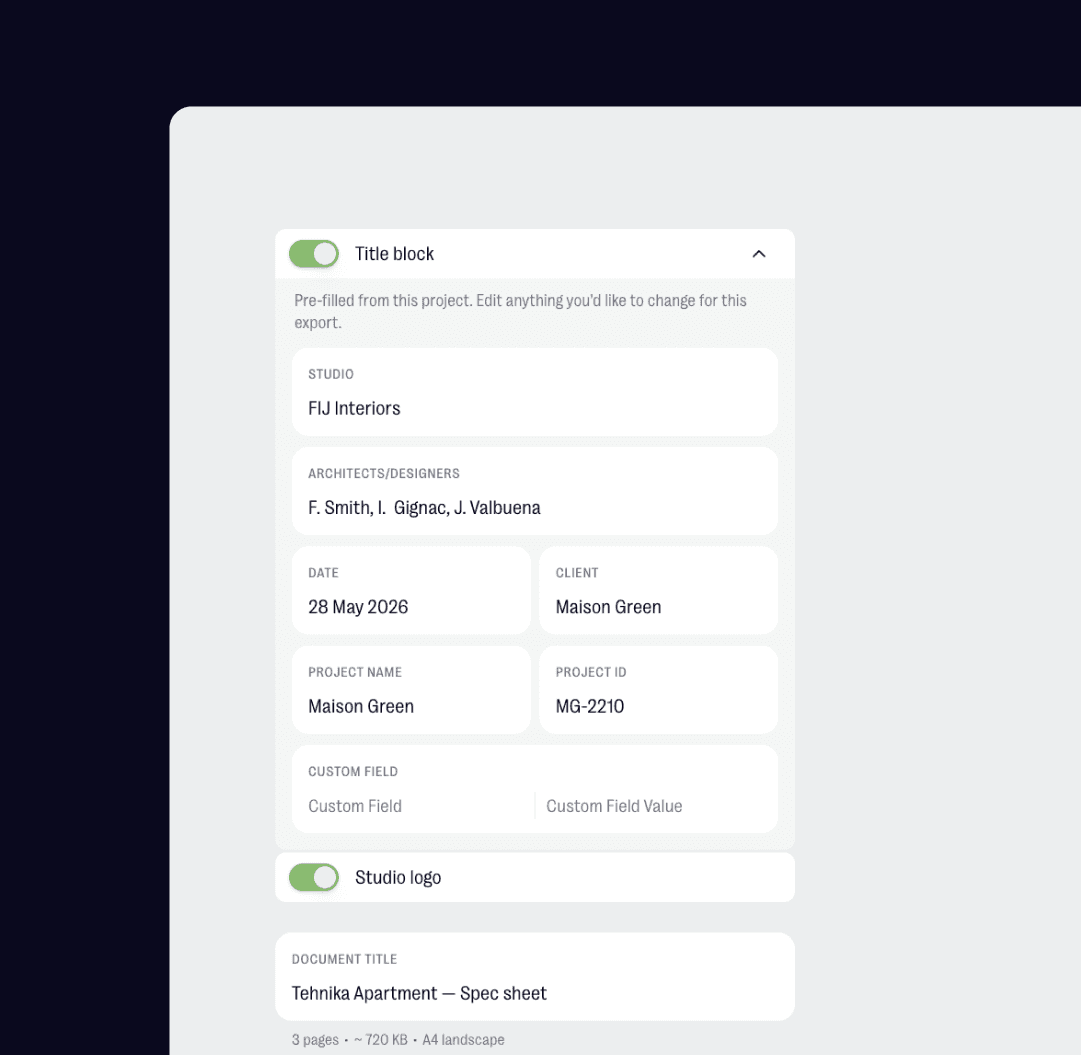
Add title block information and use studio branding, including your logo where branding is set up, so exported spec sheets feel like part of your own project material.

"Anything that helps you put together a clear, professional presentation really, really helps."
Oana Bancu
Architect and Interior Designer
What you can do
Export a project spec sheet from Sheet view
Use filters to create room, category, supplier or status-specific PDFs
Choose which details appear, including pricing or vendor information where relevant
Add title block information for a more official project document
Carry studio branding, including your logo, into branded PDF outputs
Real life use
Workflow example
You are preparing a client review for one room. Filter the sheet to the products you want to show, choose the details that belong in this version, add the title block and export a branded PDF instead of rebuilding the same spec sheet by hand.
Try thesheet for free
Create a free workspace and export your first focused spec sheet PDF.
Good questions
Answers to common questions about getting started and using thesheet day to day.

Can I export a spec sheet to PDF in thesheet?
Yes. Open a project in Sheet view and use Export to PDF to create a shareable version of the spec sheet.
Can I choose what appears in the PDF?
Yes. Use filters and export controls before exporting so the PDF matches the audience, such as a room view, supplier list or version without pricing.
Can my studio logo appear on the PDF?
Yes. When Studio branding is set up, your studio logo can appear on branded outputs such as PDFs.
Can I add a title block to the PDF?
Yes. Title block information can help make the PDF feel like a proper project document, with details such as the studio, project and architects or team attached to the work.
Does PDF export create invoices or proposals?
No. PDF export is for saving a project spec sheet as a PDF. It is not an invoice, proposal or automated document generator.