The spec sheet built for interior designers
The spec sheet Excel was never going to be.
That's thesheet.
thesheet gives interior designers one place for product sourcing, client approvals, budgets and team collaboration — without the spreadsheet workarounds.
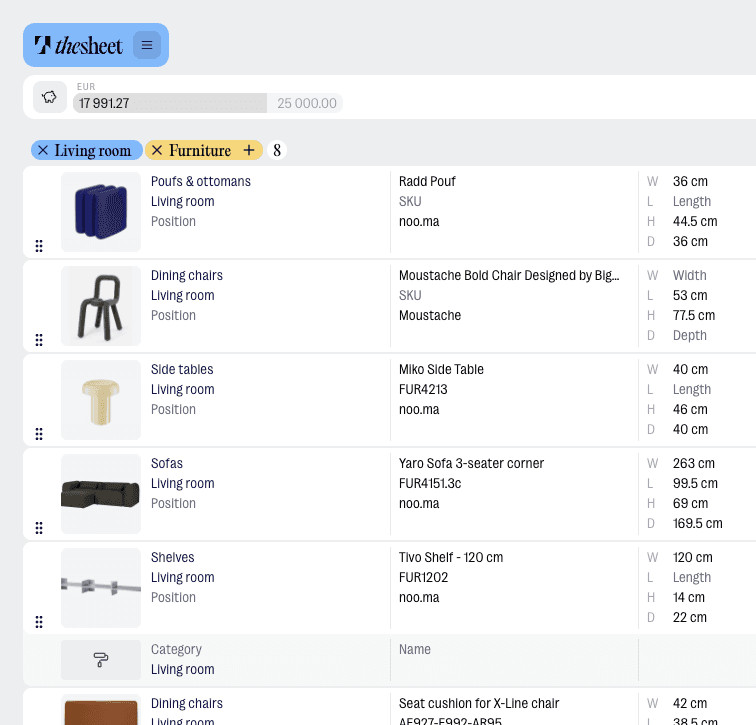
Product images don't get squeezed into tiny cells or separate folders
Paste a supplier URL — AI fills in the product details for you
One link. Clients approve, comment, and review without downloading anything
Budget tracked live. No formulas to build, no formulas to break
One version of the file. And it's always the right one.
Free to start. Up in minutes. No template to set up first.
The spreadsheet was useful. The spec just grew past it.
A product list is easy to manage in Excel.
A full spec sheet is not.
Each product in a proper interior design spec needs images, supplier details, dimensions, notes, alternatives, approval status and client comments — all connected. In a spreadsheet, that means more columns, more tabs, more exports, and a new version of the file every time something changes.
Built for the full spec
One place for the whole project.
thesheet is built specifically for interior design specs — not a generic tool adapted to fit the work. Product sourcing, client approvals, budgets and team collaboration are all connected, so you're not rebuilding the same information across tabs, PDFs and email threads.

"Clients are already worn out by the time we get to furniture. Sending them an Excel file full of decisions felt like pushing them over the edge."




Features
Build the specification
Create the working sheet your project actually runs from. Every product in its place — with the images, details, alternatives and status that make it useful beyond a list.
Spec sheets
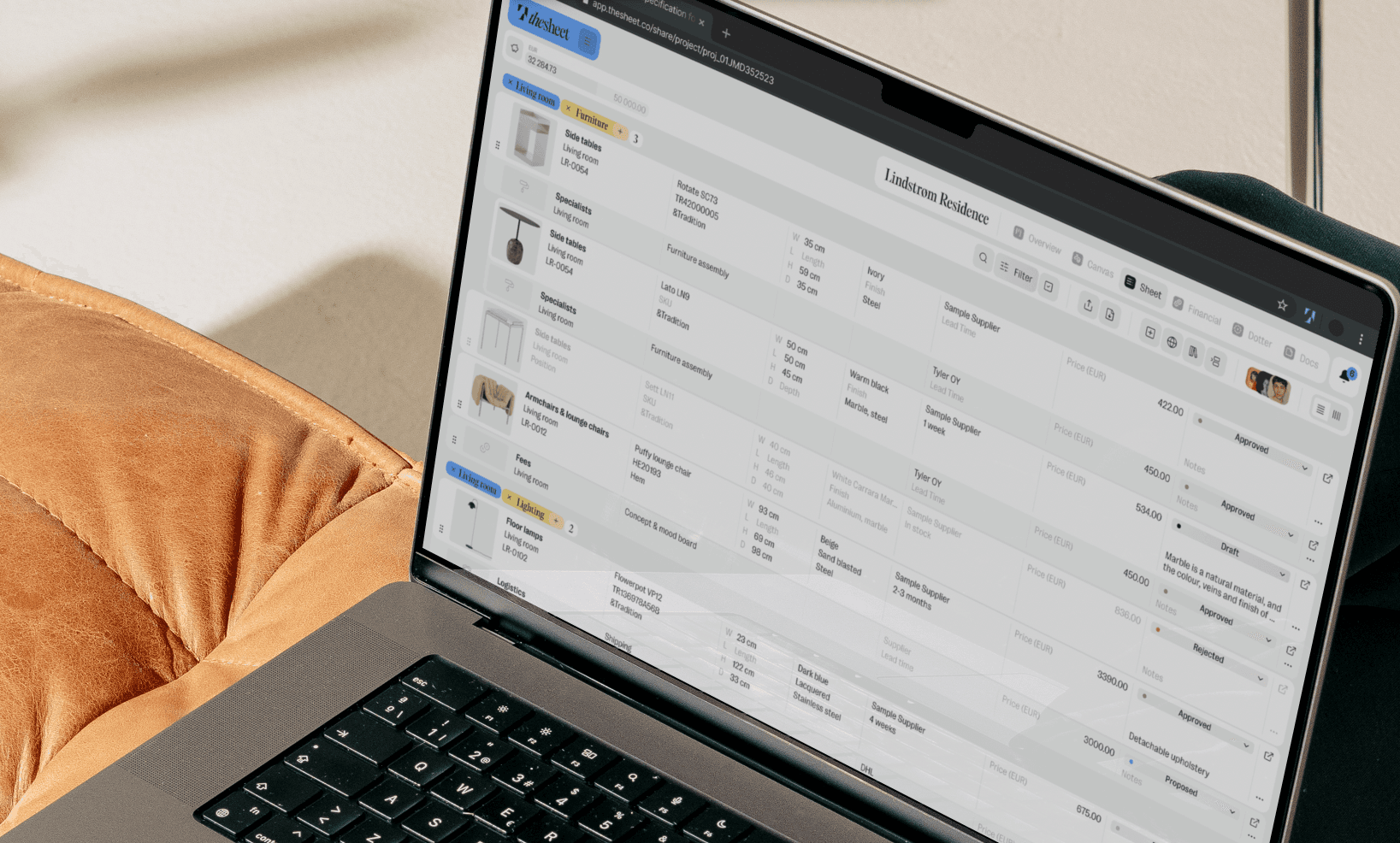
Every product in its place — image, dimensions, supplier, price and status. Organised by room or category, looks professional the moment you open it.
Client sharing and approvals
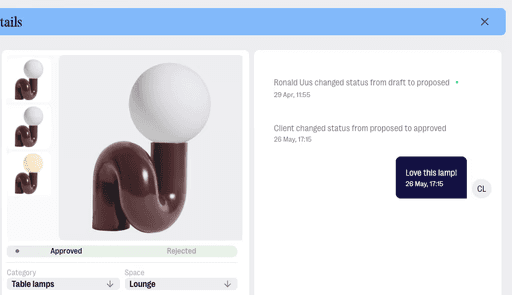
Share a link and your client sees the full spec on any device. They approve, reject and comment directly on products — you get notified when anything changes.
Budget tracking
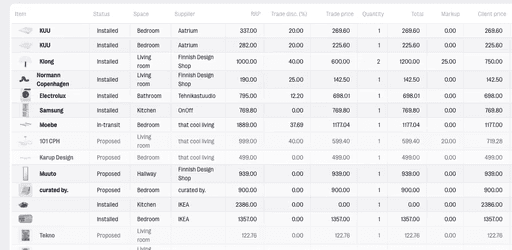
Budget tracked live as products are added or updated. No formula to write, no formula to accidentally break.
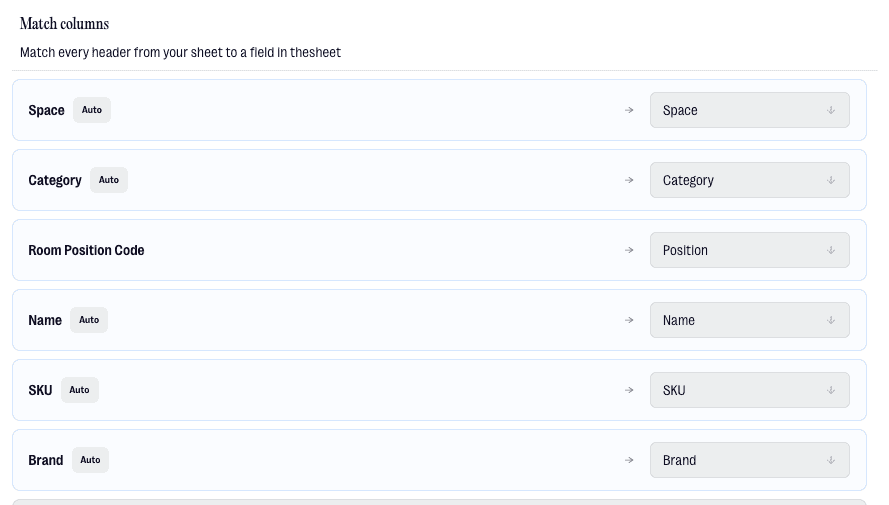
Import from Excel
Bring your existing XLSX file in directly. Donut fills in missing images and details so thin spreadsheet rows become proper product records.
Add products without the copy-paste
Less tab-switching, no typing from supplier pages. The Smart Product Clipper and Donut pull product details into your spec in seconds — images included.
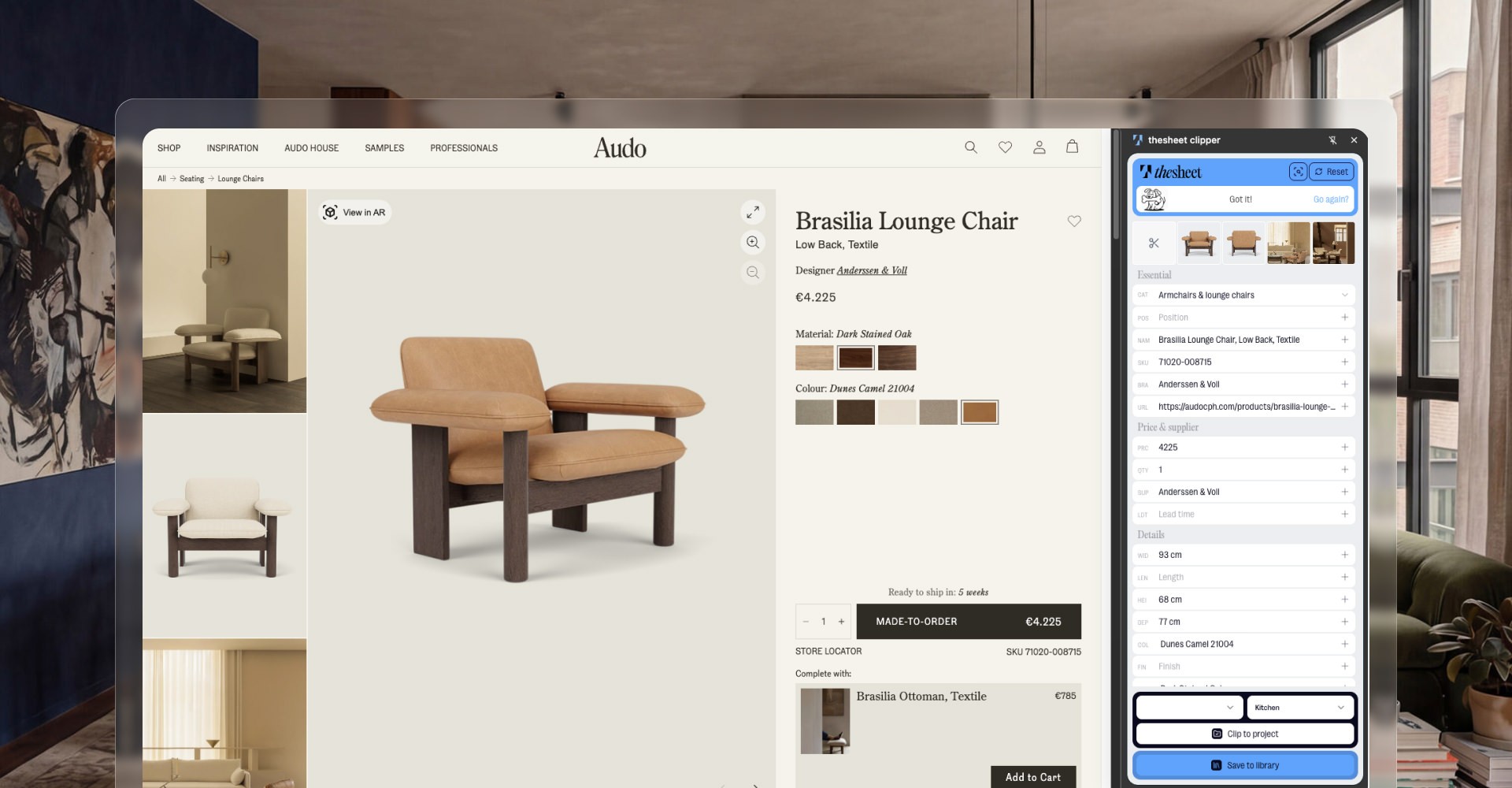
Smart Product Clipper
Clip from any supplier page and thesheet pulls the name, images and price in automatically. Or paste a URL and Donut fetches everything for you.
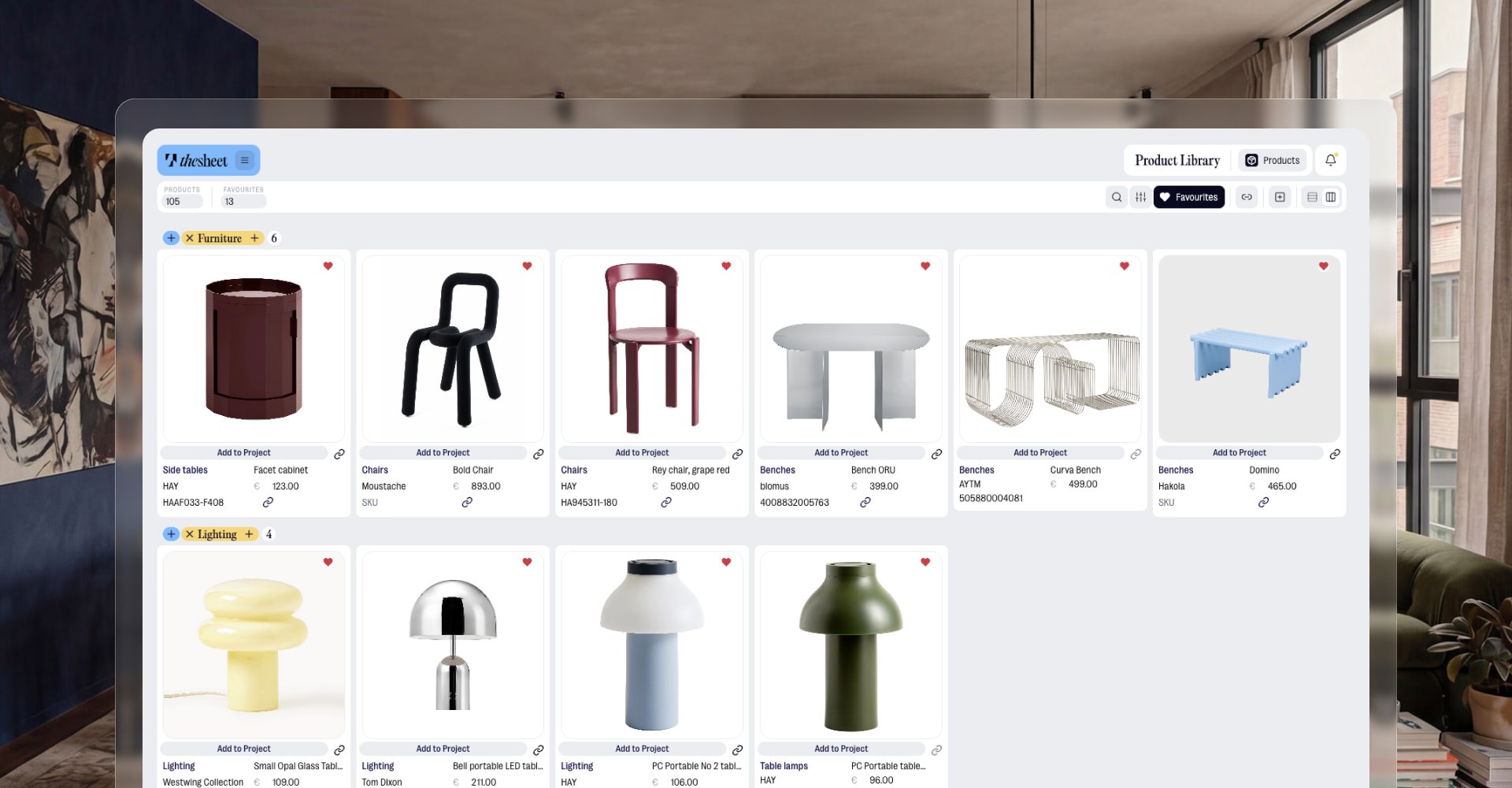
Product Library
Every product you add goes into a searchable library across every project. The sofa you sourced six months ago? Three seconds to find it.
Work like a studio.
Not a spreadsheet user.
Excel doesn't know you're a designer. thesheet does. Your brand on every client touchpoint, your whole team on the same live spec — no more file versions, no more emailing attachments back and forth.
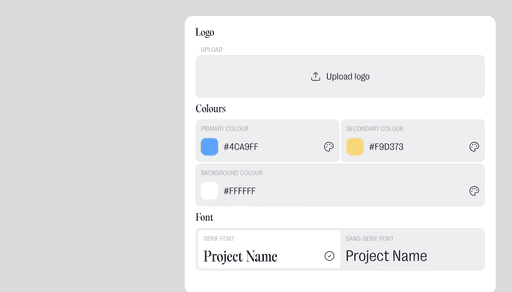
Studio branding
Your logo and colours on every client-facing view — spec sheets, portals and PDF exports. Looks like it came from your studio, not a spreadsheet.
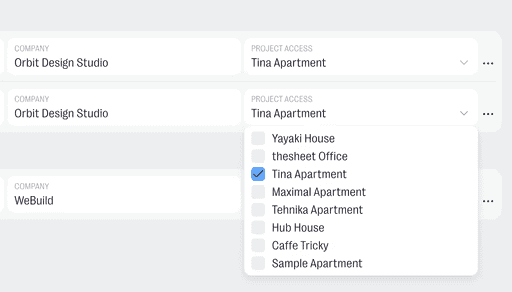
Team collaboration
Everyone works from the same live spec. No attachments, no competing versions, no merging three copies of a file that all claim to be final.
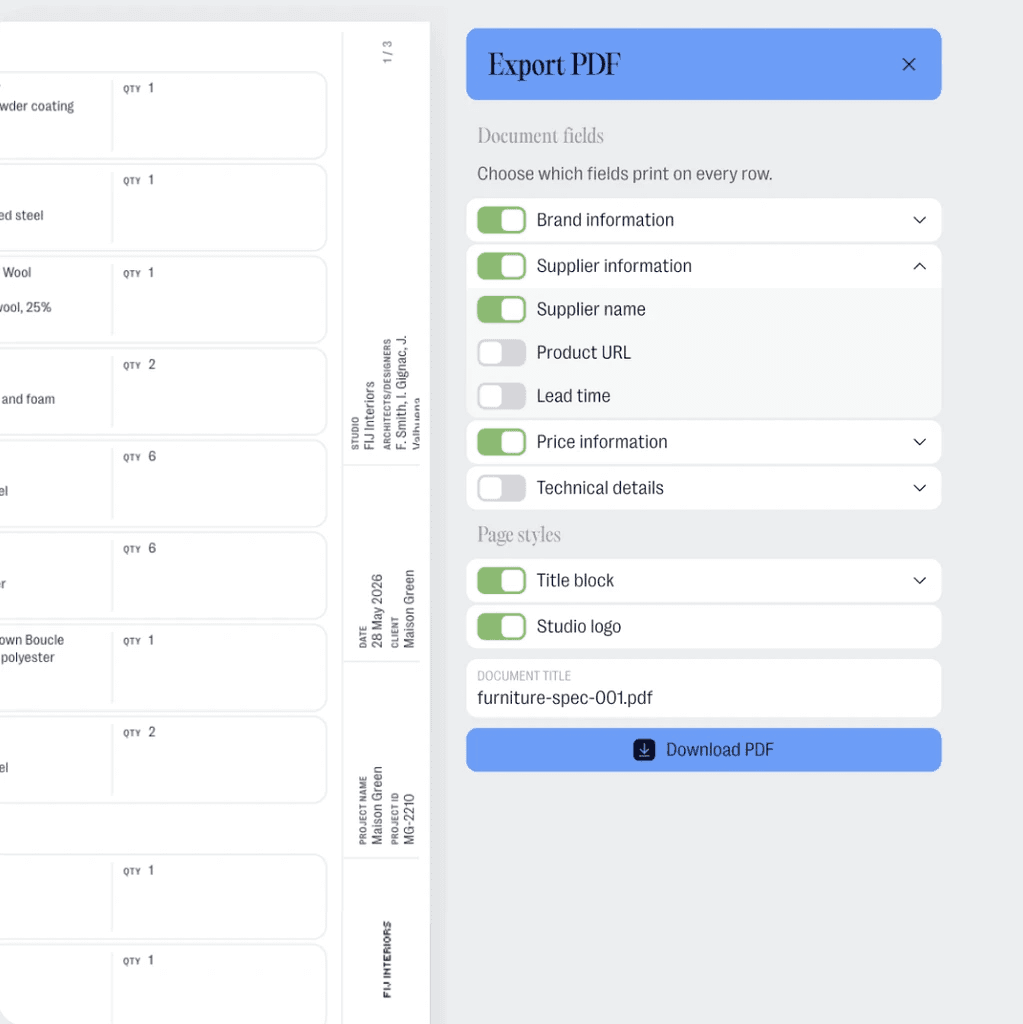
PDF export — your way
Export a branded PDF whenever you need it — images, details and your title block. Choose which fields appear so each version shows exactly what it should.
Pricing
No trials. No time limits.
Just thesheet.
Whether you're just getting started or running a full agency, there's a plan that fits. Pick what works right now — you can always change your mind.
Your next project shouldn't start with a blank grid.

Questions before moving a spec out of the spreadsheet
Answers to common questions about getting started and using thesheet day to day.

Is this just a spreadsheet with a nicer layout?
No. thesheet keeps the structure designers recognise from a schedule, but product images, alternatives, approvals, client comments, budgets and exports all get proper room to work. It's built around how a spec sheet actually gets used — not adapted from a blank grid.
My projects are already in Excel. Do I have to start from scratch?
No. Import your existing XLSX file directly and thesheet brings your product list in. Donut can then fill in missing images and details, so a row that only had a name and a price becomes a full product record. Most designers have their first project set up in under five minutes.
How does client sharing actually work?
You share a link. Your client opens it on any device — no account, no app to download — and sees a clean visual version of the full spec. They can browse by room or category, leave comments on individual products, and approve or reject with one tap. You get notified when anything changes.
Can I track budget and margins?
Yes. Budget is tracked live as you add and update products — no formulas, always accurate. On Studio, margin tables let you enter your trade discounts and client markups so thesheet calculates your margin per product and produces a client-ready pricing PDF.
How is this different from managing projects in a spreadsheet?
A spreadsheet is a blank grid you spend hours formatting before you've added a single product. thesheet handles product images, dimensions, pricing, supplier details, statuses, and client communication out of the box — no setup, no formatting. The output looks like something a professional studio produced, not something built in Excel on a Sunday afternoon.