Project finances
Keep project costs, prices and margins in the same place as the spec
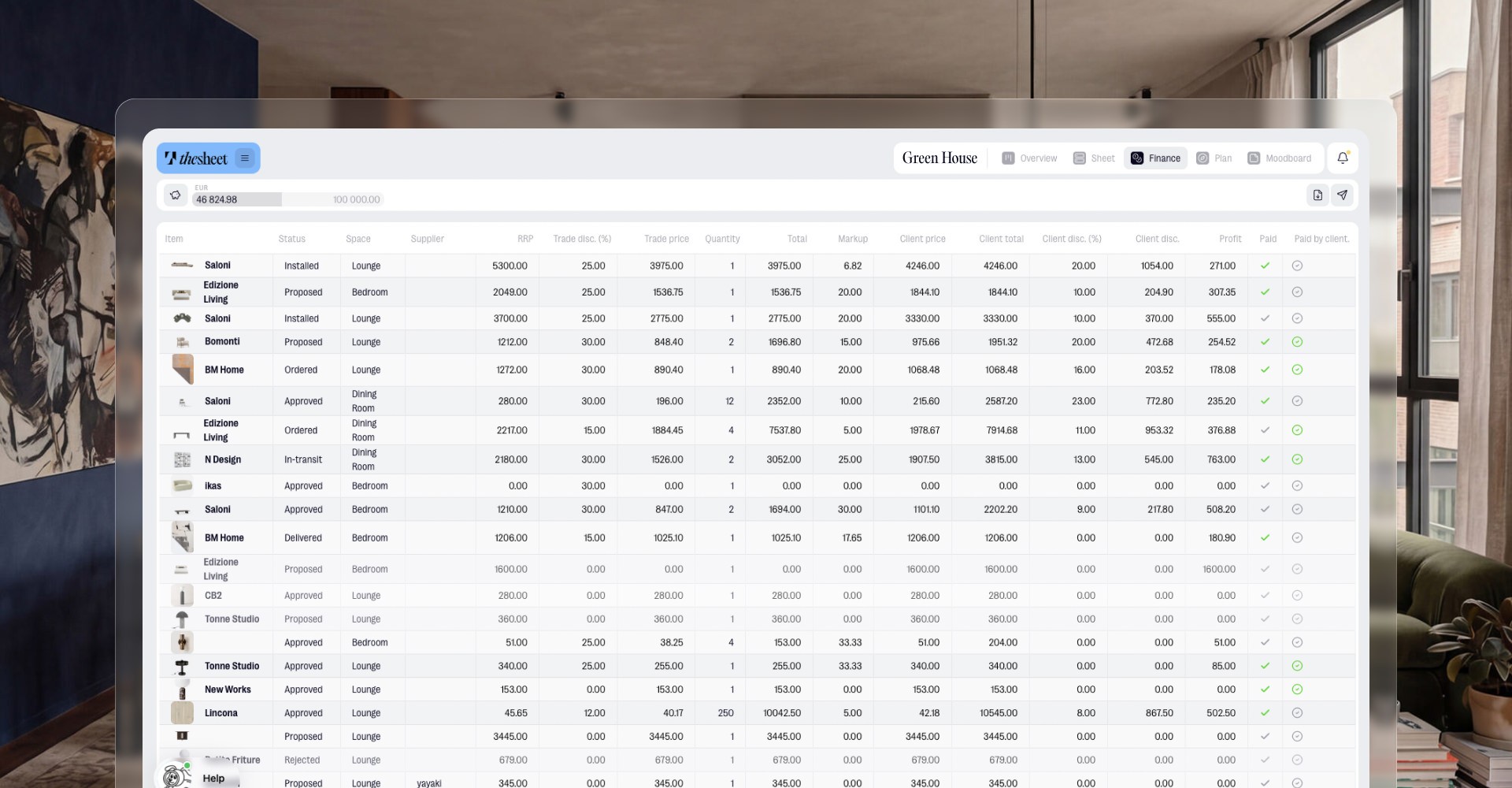
Track supplier costs, client prices, discounts, profit and payment status alongside the products in your project. So when a client asks what changed, or you need to check the margin before ordering, the numbers are already where the work is.
Project finances gives you a clearer view of what each specification costs, what the client sees and where the project stands commercially, without turning your design workflow into a spreadsheet hunt.

See cost and client price together
Keep supplier cost and client price close to the product details, so you can understand the commercial side of each item without opening another document.
Check discounts, markup and profit
Use the finance table to review discounts, markup and profit before you share, approve or order items. Small changes are easier to spot when the whole project is in one view.
Follow payment status as the project moves
Track payment status alongside the specification, so products, approvals and finance details stay connected as the project moves from idea to order.

"The notes on each object are crucial. I use them about 30 times a day."
Oana Bancu
Architect and Interior Designer
What you can do
Track supplier cost for products in a project
Set and review the client price for each item
Apply discounts where they affect the project total
Check markup, profit and margin before key decisions
Follow payment status alongside the specification
Real life use
Workflow example
Before sending a client approval or placing an order, open project finances to check the products that changed, compare supplier cost against the client price and review the margin. If a discount has shifted the numbers, or a payment still needs attention, you can catch it while you’re still in the project rather than after the paperwork has started breeding.

Try thesheet for free
Create a free workspace and build your first client-ready project.
Good questions
Answers to common questions about getting started and using thesheet day to day.

Can I track supplier cost and client price in thesheet?
Yes. Project finances lets you track supplier cost and client price alongside the products in your project, so the commercial details stay connected to the specification.
Can I use project finances to check project margin?
Yes. You can review discounts, markup, profit and margin in the finance table before you send, approve or order items.
Does project finances replace a separate margin spreadsheet?
It can reduce the need for a separate margin spreadsheet because the main cost, price, discount, profit and payment details live with the project specification.
Can I track payment status for project items?
Yes. The finance table includes payment status, so you can see where items stand commercially as the project moves forward.
Where does project finances sit in the workflow?
Project finances sits alongside the project specification. It is built for checking the numbers while you work on products, client approvals and orders, rather than treating finance as a separate admin step.